Note:- After configuring the basic settings of Sign Made Easy and adding the button to the page layout and sending the document to the signer, you can initiate the process of resending the email to the signer.
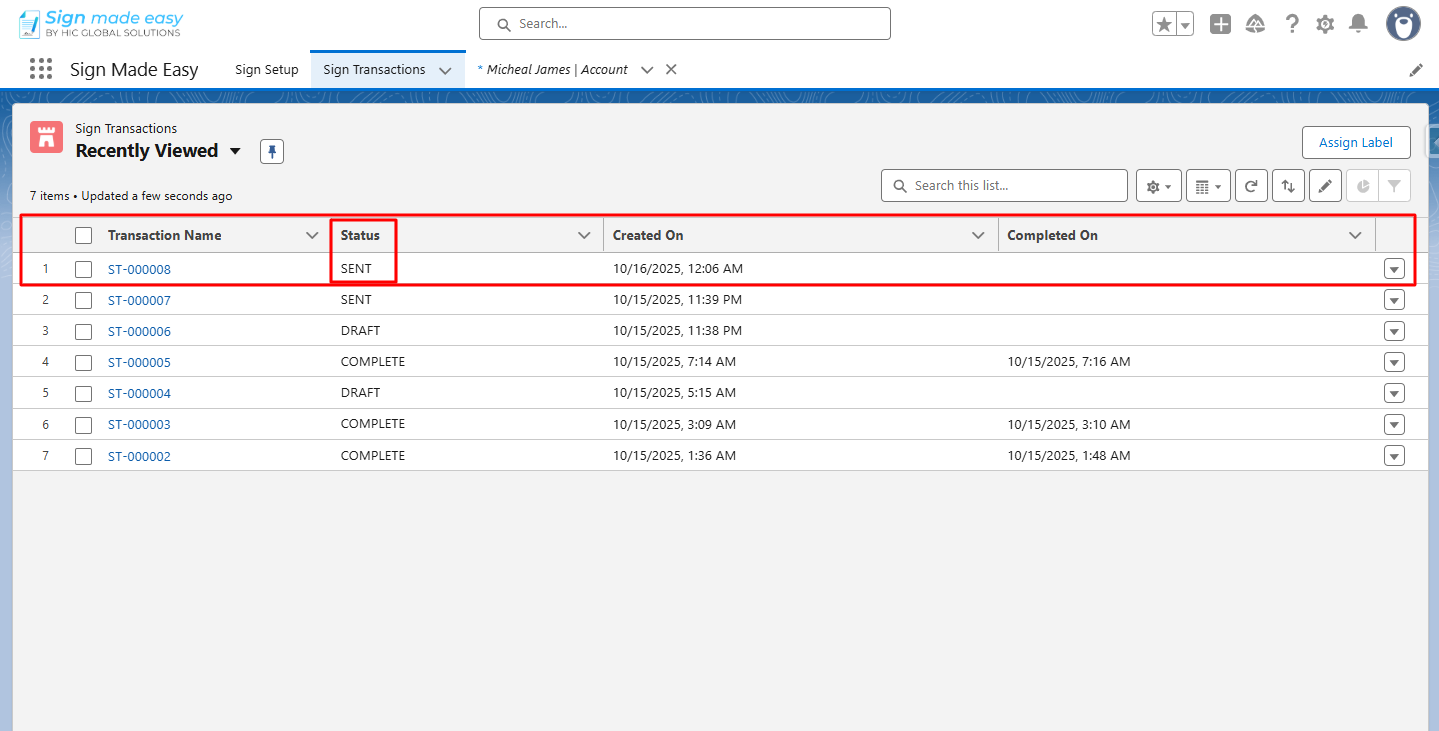
Step 1:- Navigate to the Sign Transactions object and open the sign transaction record.
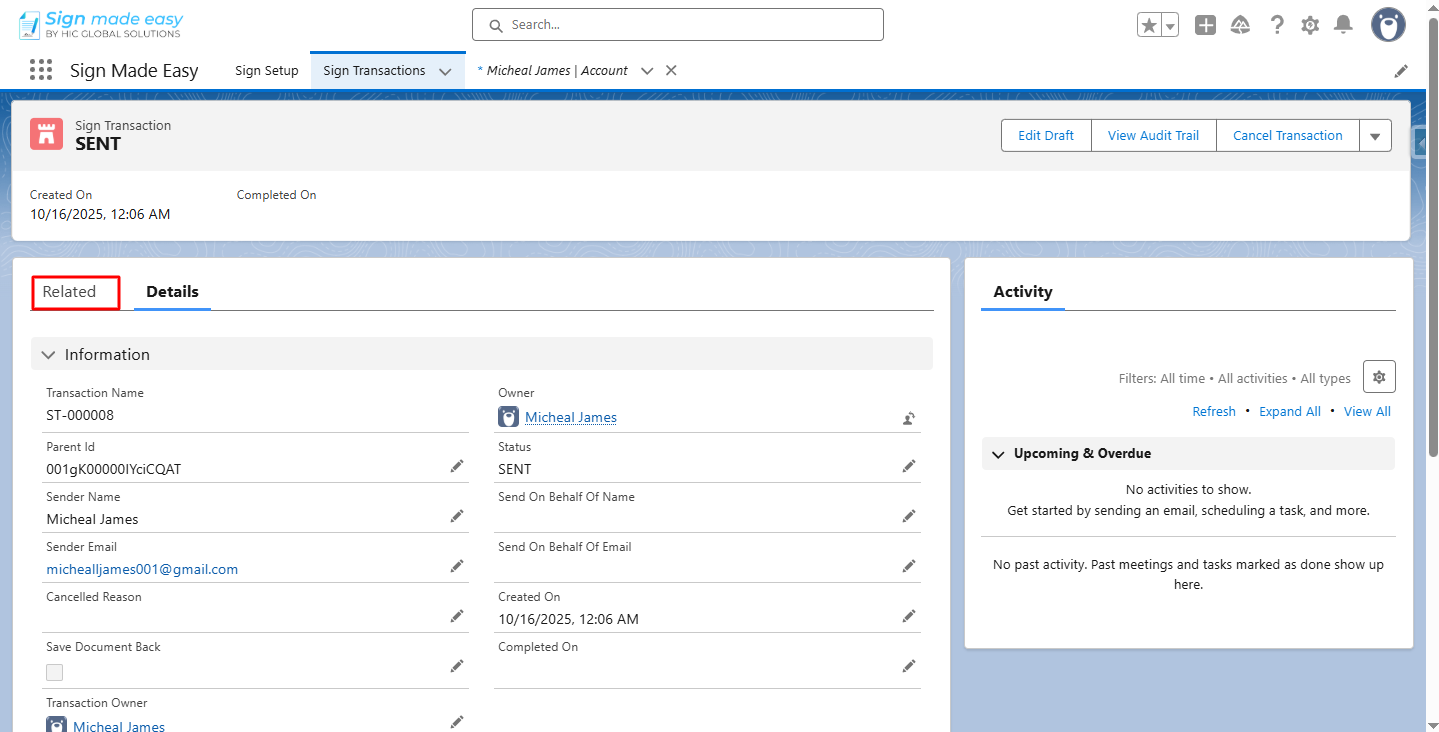
Step 2:- Navigate to the Related section.
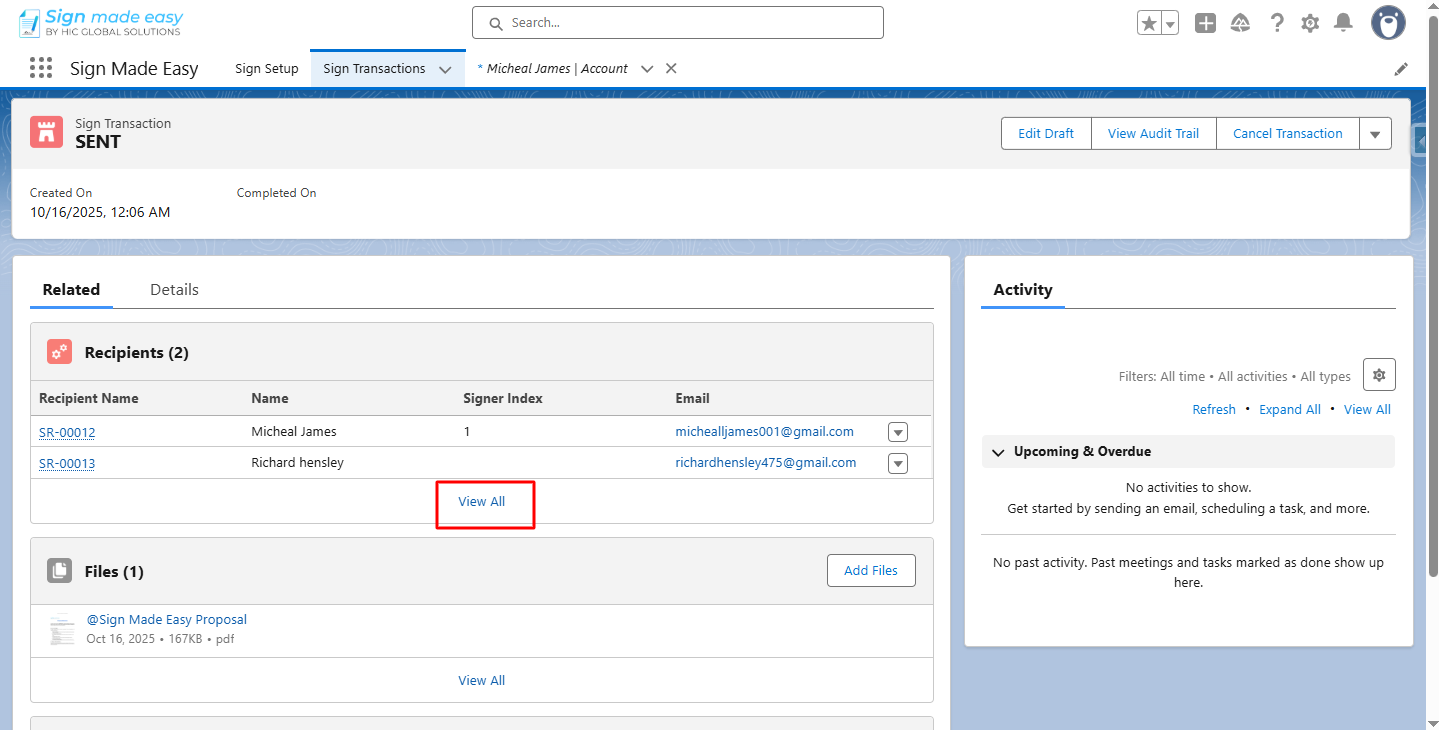
Step 3:- Click View All.
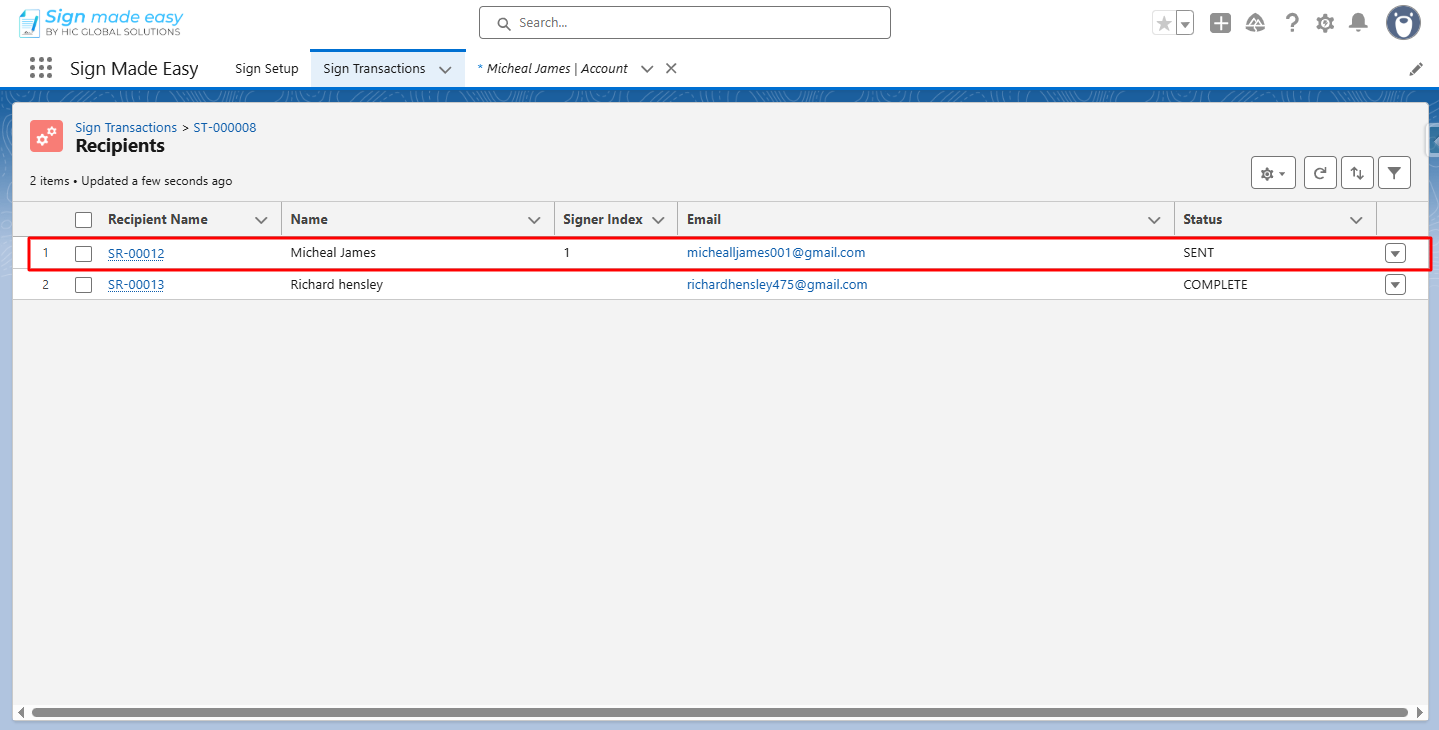
Step 4:- Open the recipient record of whom you want to resend the email.
Notes:
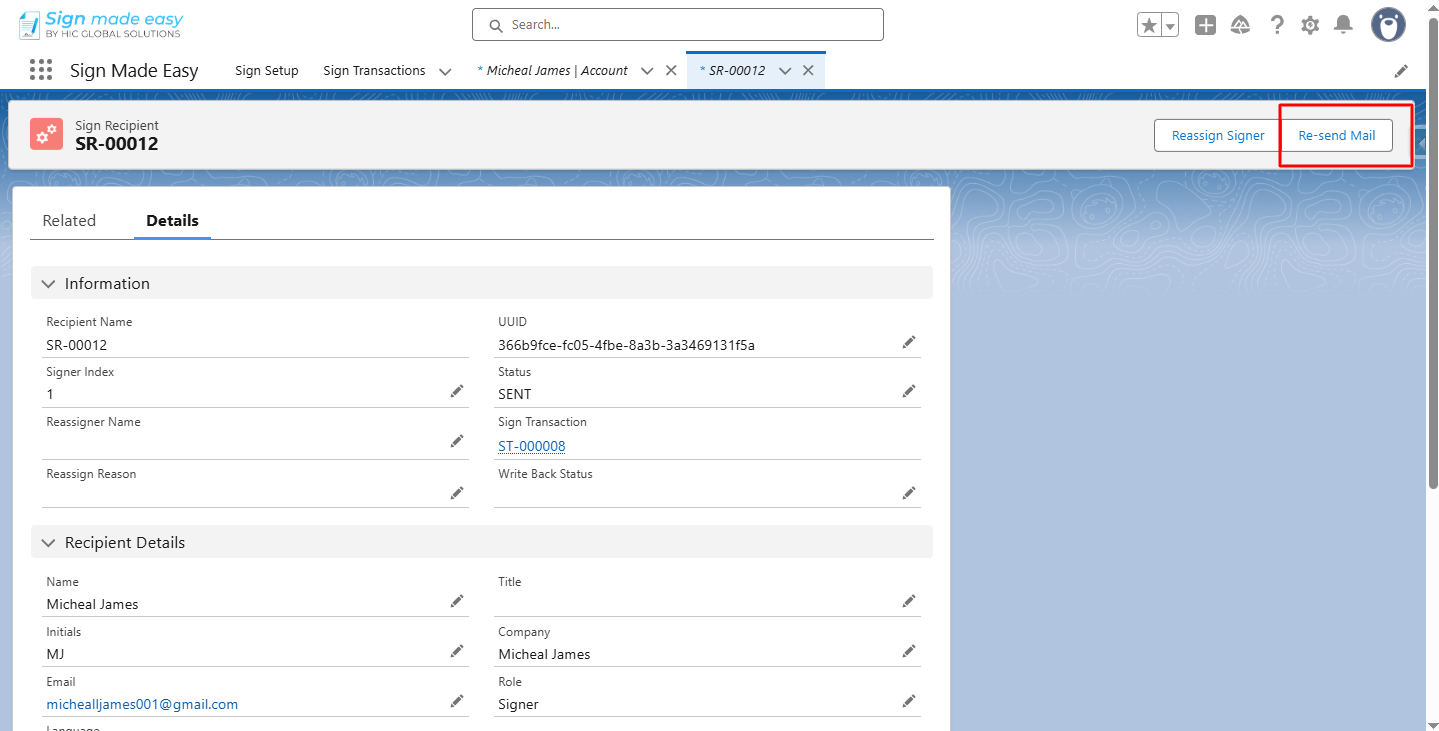
- Ensure the recipient status must be sent/viewed for resending the email to the signer recipient and sent/complete for CC.
- You cannot resend the email to the In-Person Signer recipients.
Step 5:- Click the Re-send Mail button.
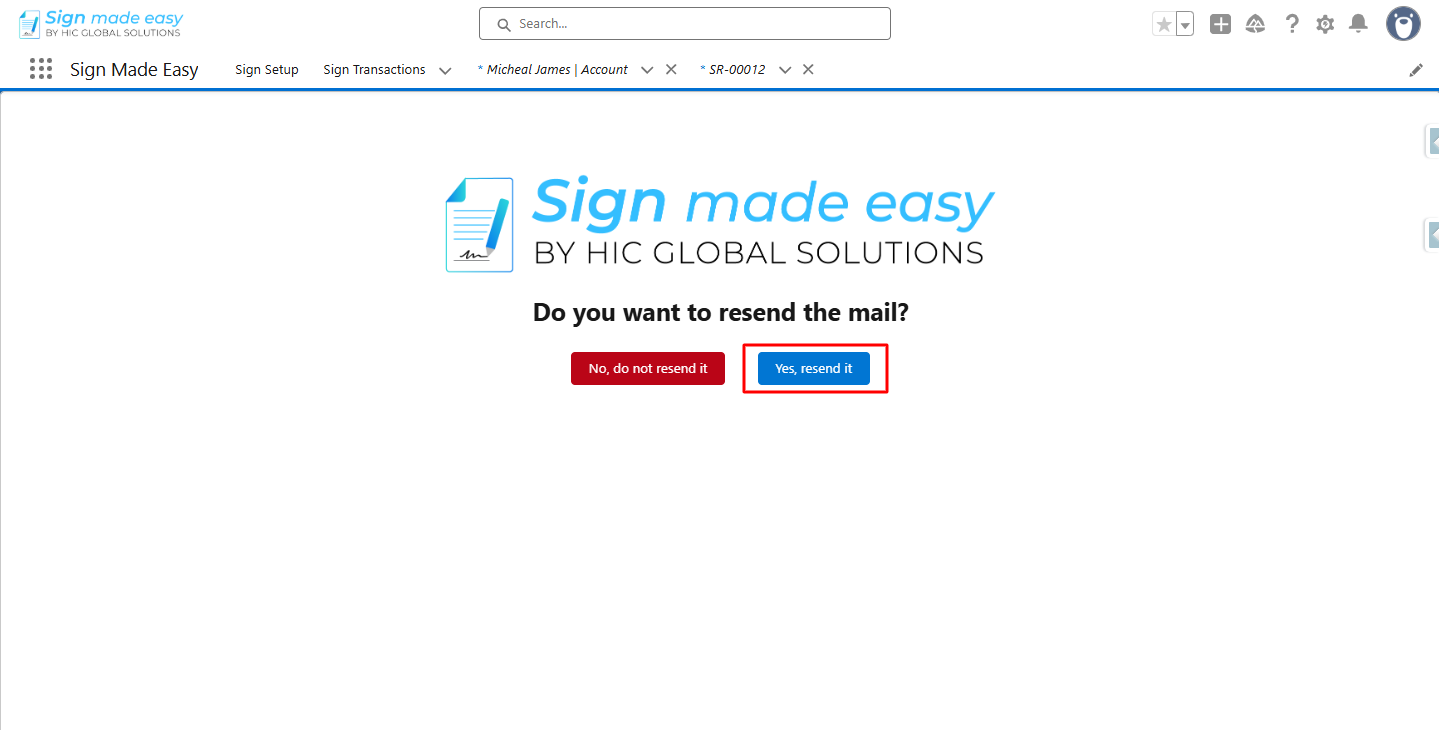
Step 6:- Click Yes, resend it.
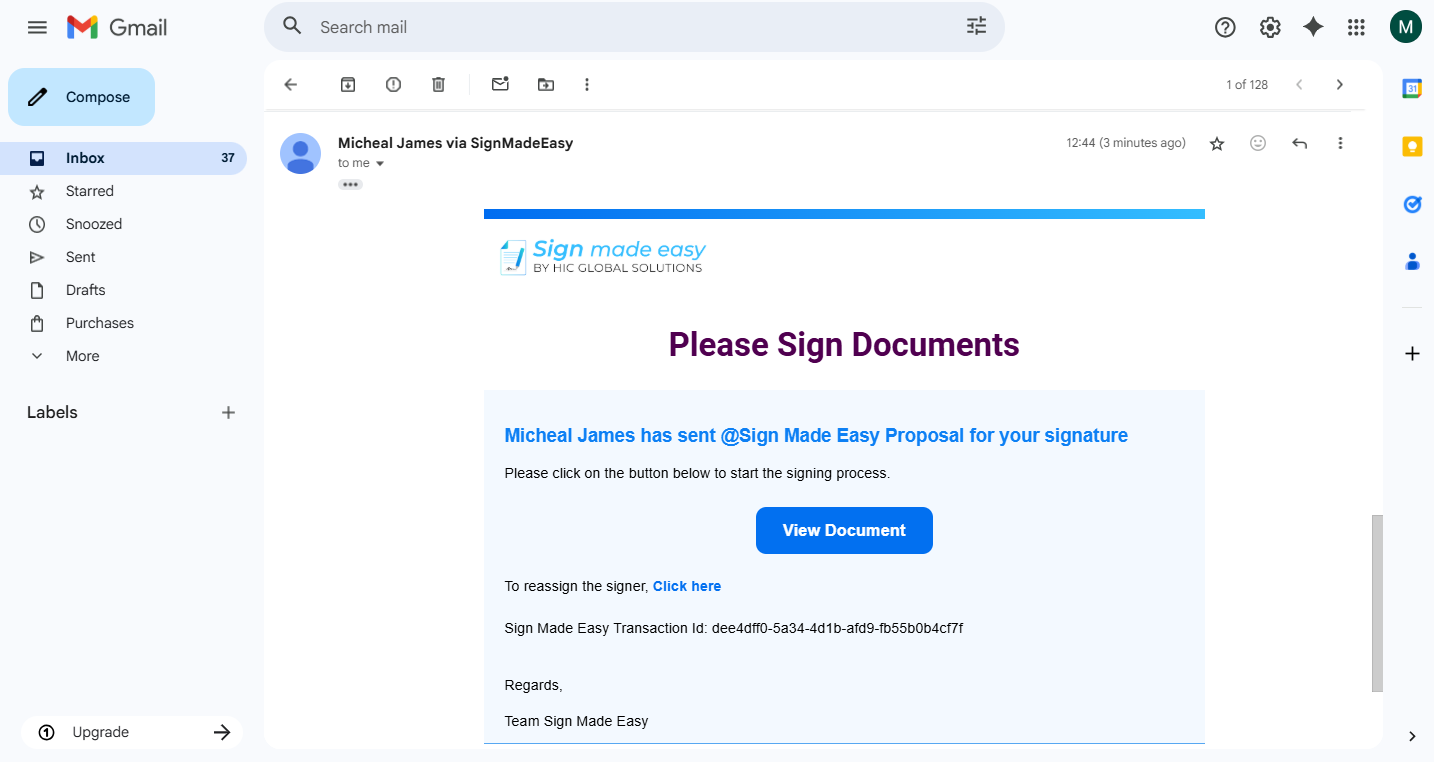
Step 7:- Email successfully resent to the recipient.
Was this article helpful?
That’s Great!
Thank you for your feedback
Sorry! We couldn't be helpful
Thank you for your feedback
Feedback sent
We appreciate your effort and will try to fix the article