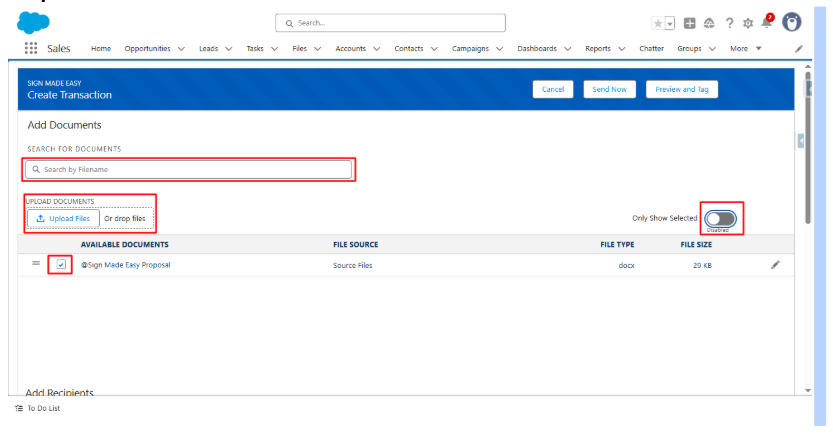
Step 1:- Add Documents
Step 2:- Add Recipients
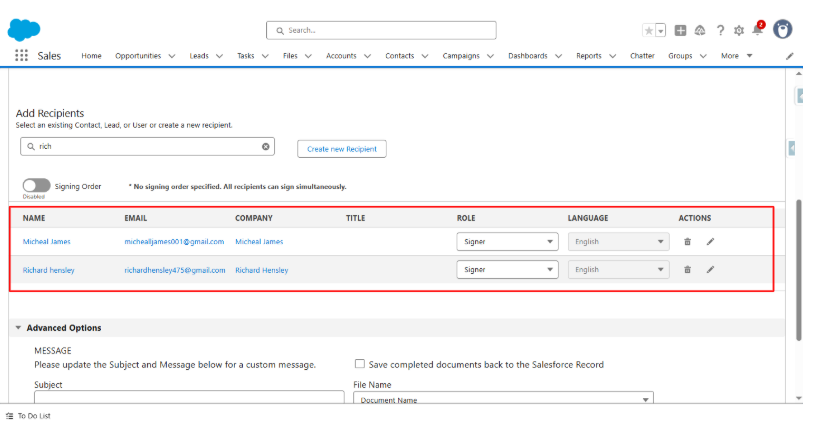
Signing Order Disabled:- No signing order specified. All recipients can sign simultaneously.
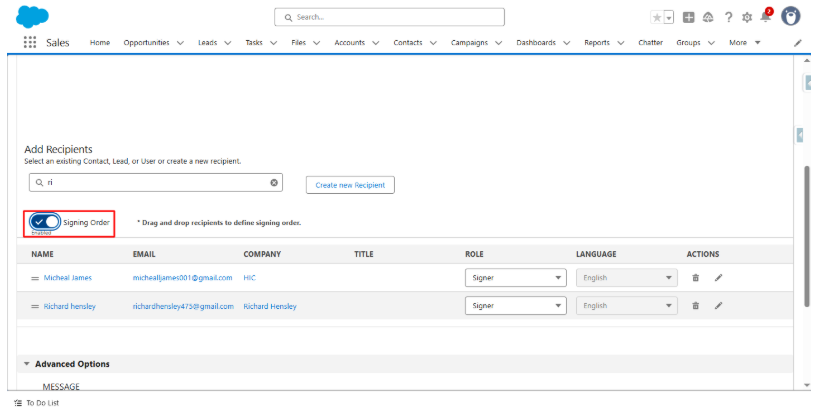
Signing Order Enabled:- Drag and drop recipients to define signing order. Serial signing requires at least two recipients.
Step 3:- Drag and drop recipients to define signing order.
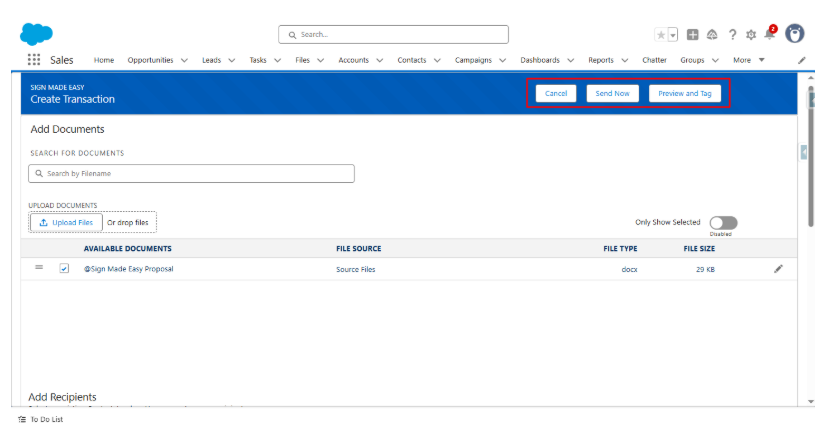
Step 4:- If the required tags have already been added to the document through the sign parameter, you can proceed directly with Serial signing by clicking the ‘Send Now’ button. Otherwise, click the ‘Preview and Tag‘ button to add the necessary tags to the document before proceeding.
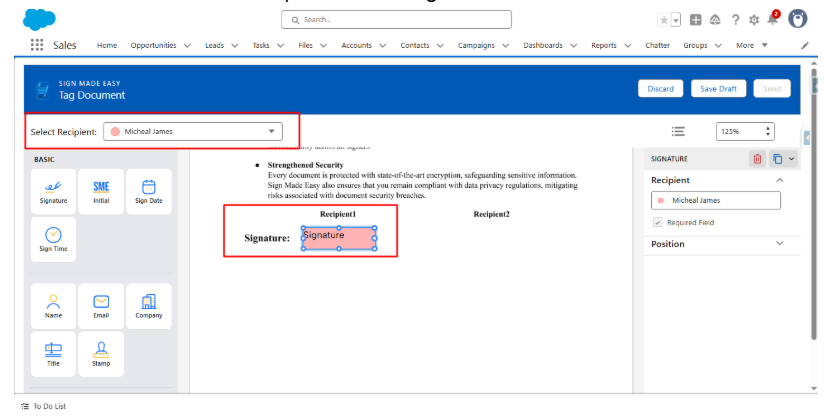
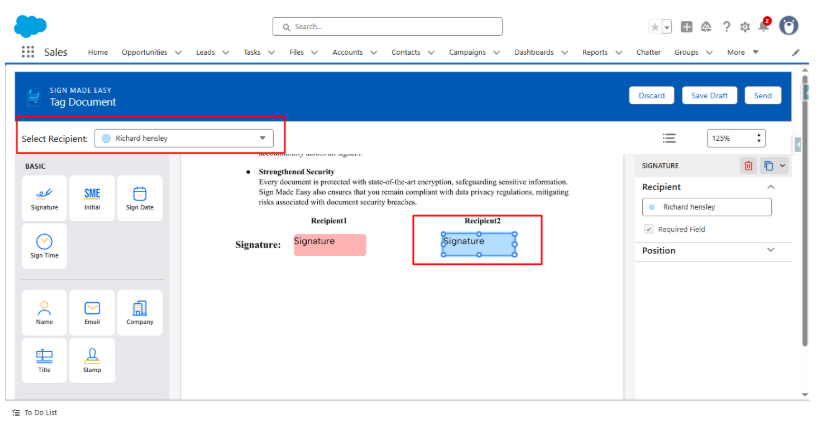
Step 5:- Next, drag and drop the required tags onto the document at the appropriate locations. You must add tags for all recipients before proceeding. You can switch the selected recipient to add tags for each one.
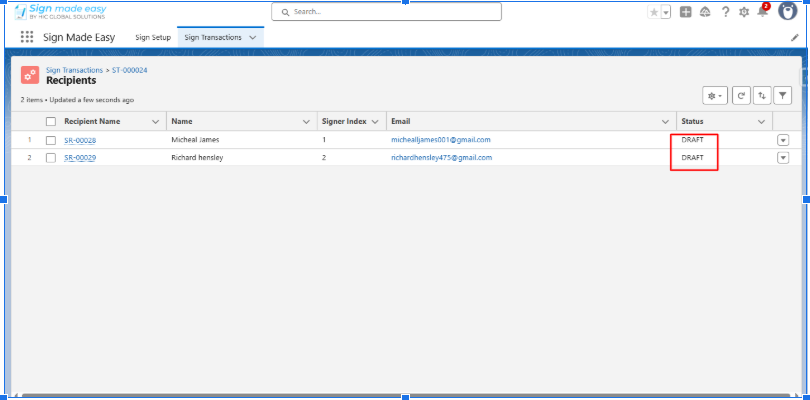
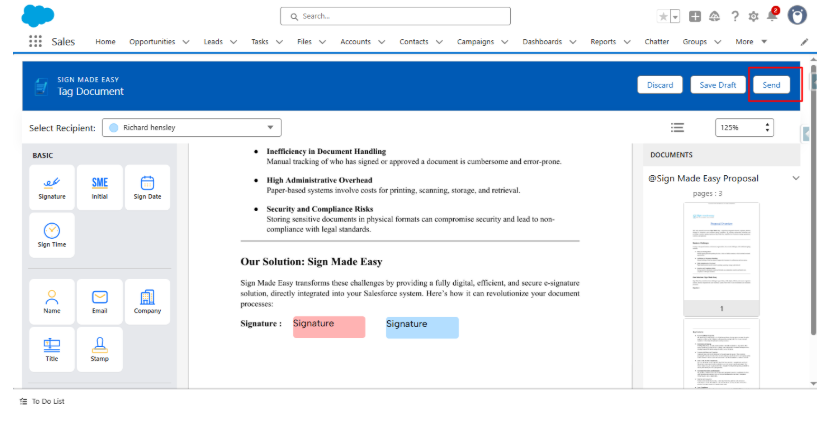
Step 6: Click Send to initiate the e-signature process with the defined serial signing order.
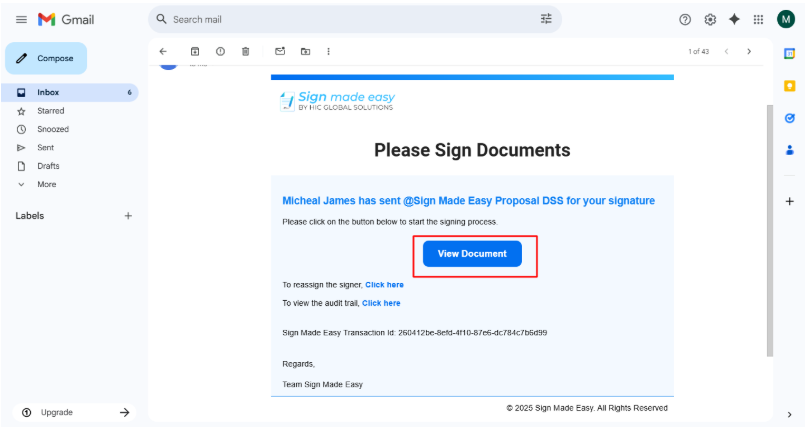
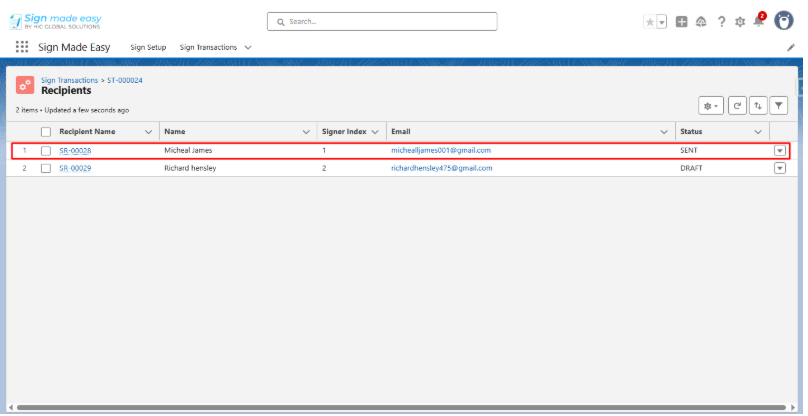
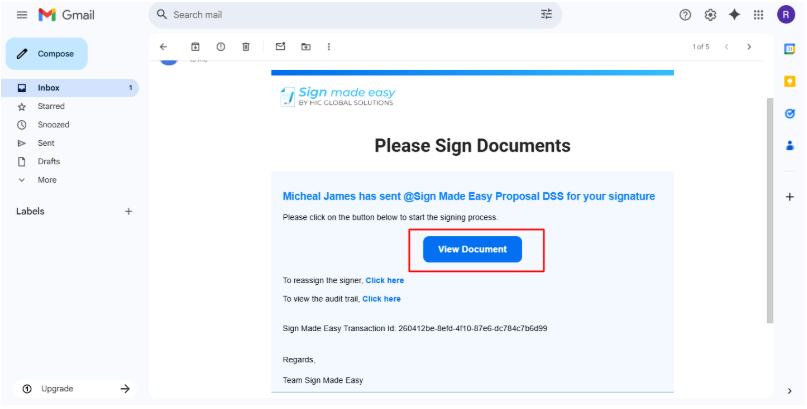
Step 7:- An email is sent to the first recipient.To begin signing, the recipient must click View Document.
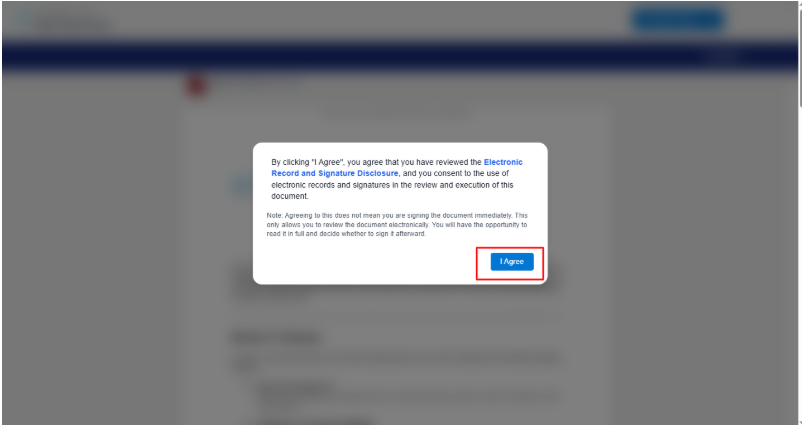
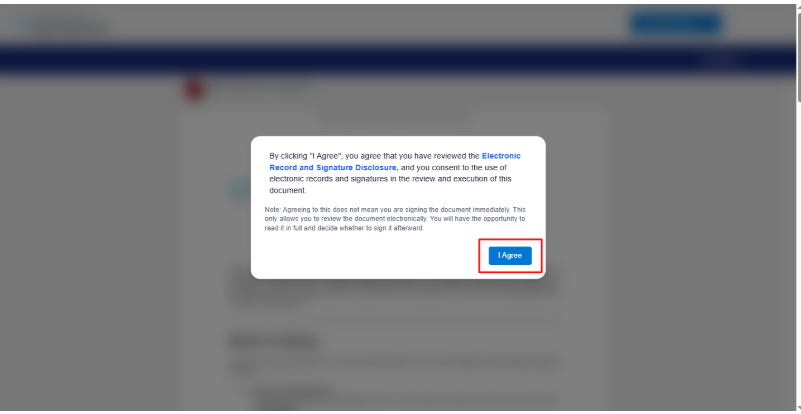
Step 8 :- Click “I Agree”
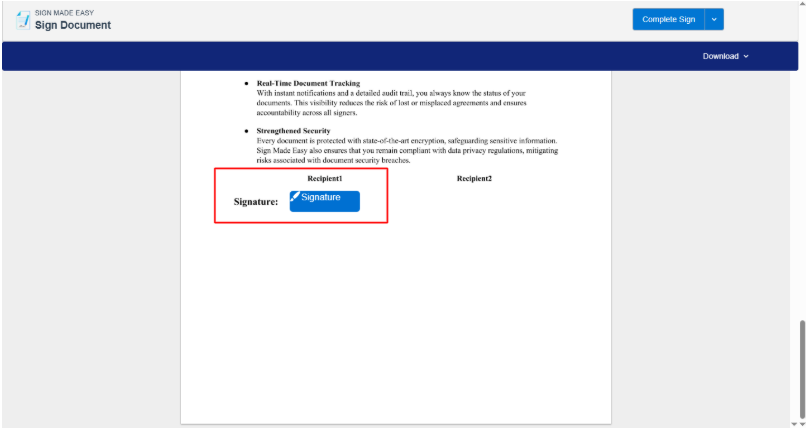
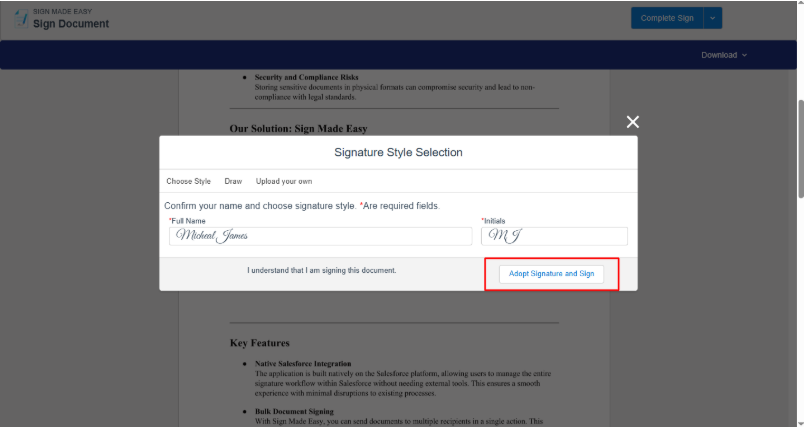
Step 9:- Click the Signature tag to apply signature.
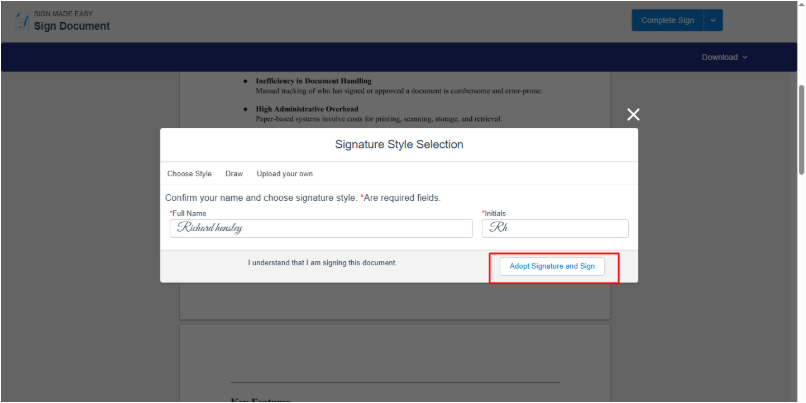
Step 10 :- After completing the required fields, click the Adopt Signature and Sign button to apply the chosen style and proceed with signing the document.
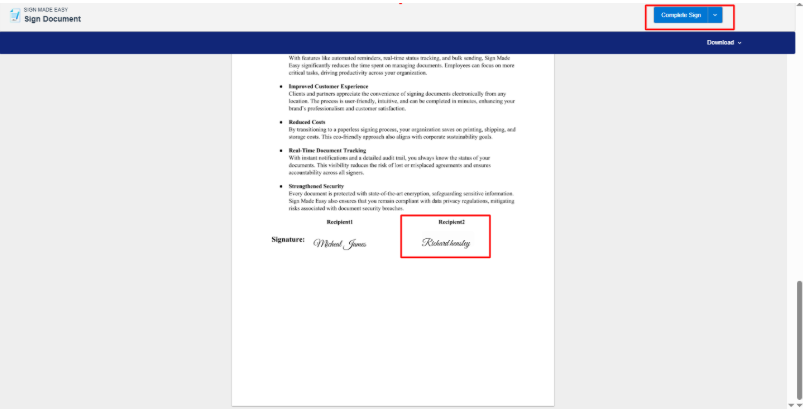
Step 11 :- Click the Complete Sign button to finalize the signing process.
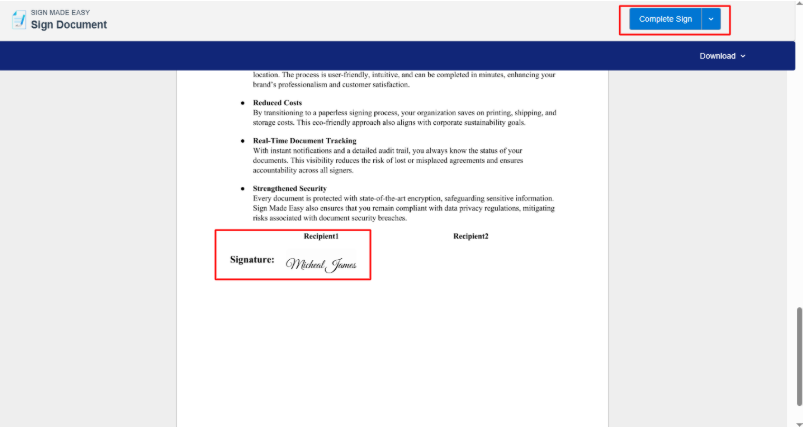
The first recipient’s signing is completed, and an email is sent to the second recipient.
Step 12: To begin signing, the recipient must click View Document.
Step 13: Click I Agree to proceed.
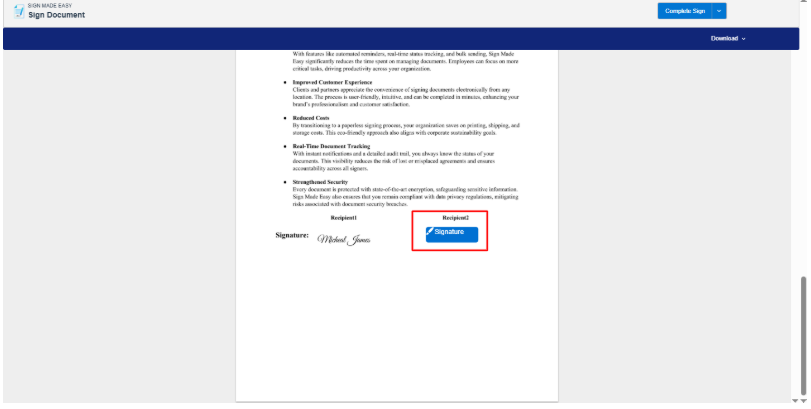
Step 14: Click the Signature tag to apply your signature.
Step 15: Click the Adopt Signature and Sign button.
Step 16: Click the Complete Sign button to finalize the signing process.
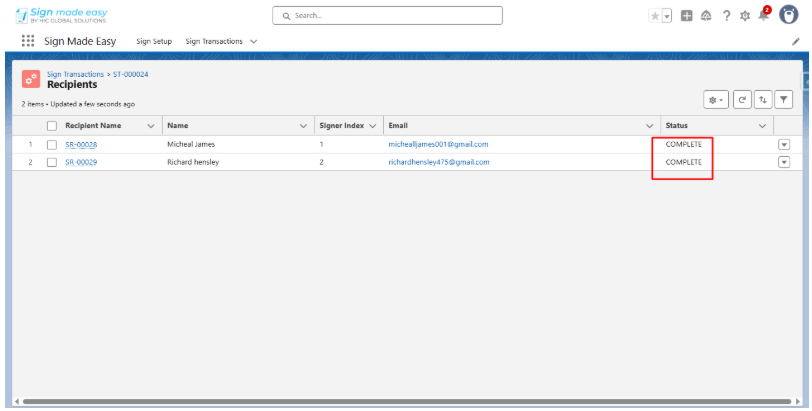
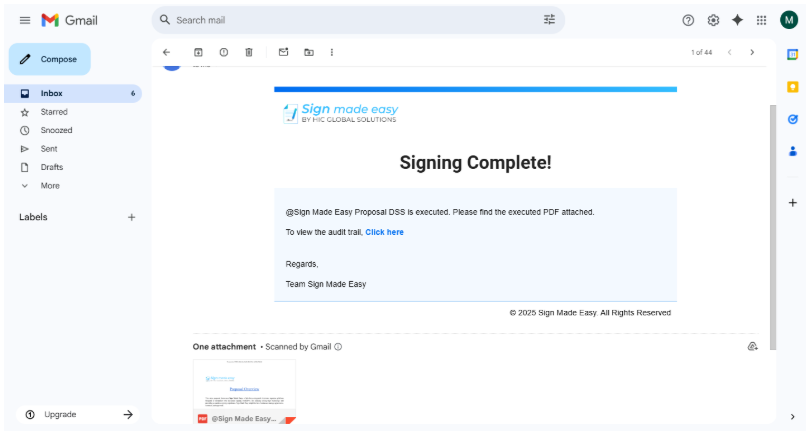
Step 17: A confirmation email is sent to the sender.
Was this article helpful?
That’s Great!
Thank you for your feedback
Sorry! We couldn't be helpful
Thank you for your feedback
Feedback sent
We appreciate your effort and will try to fix the article