A Completion Certificate is now generated upon successful completion of an e-signature transaction. The certificate provides a record of the completed signing process and helps users maintain transaction completion details for tracking and audit purposes
Step-by-Step Guide to Completion Certificates
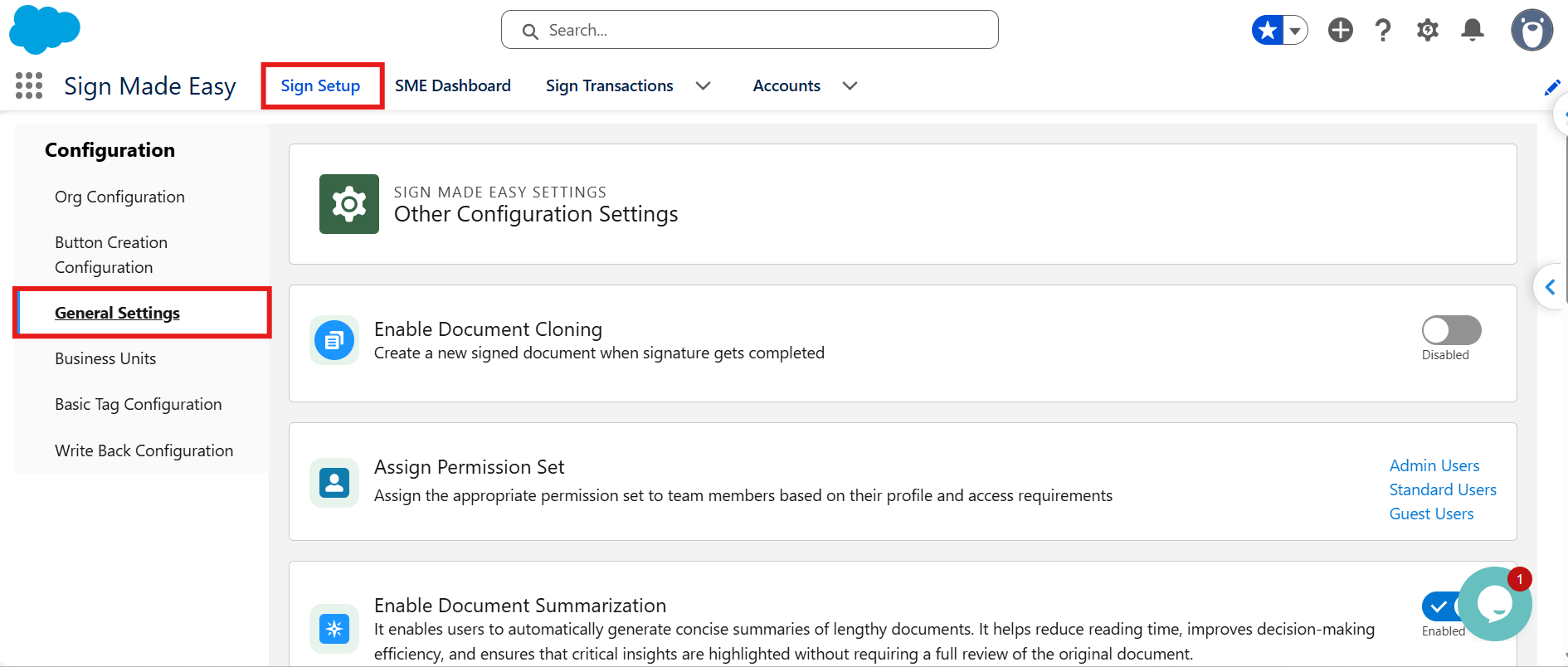
Step 1: Open Sign Setup
Open the Sign Setup page and navigate to General Settings.
Step 2: Enable the Completion Certificate Setting
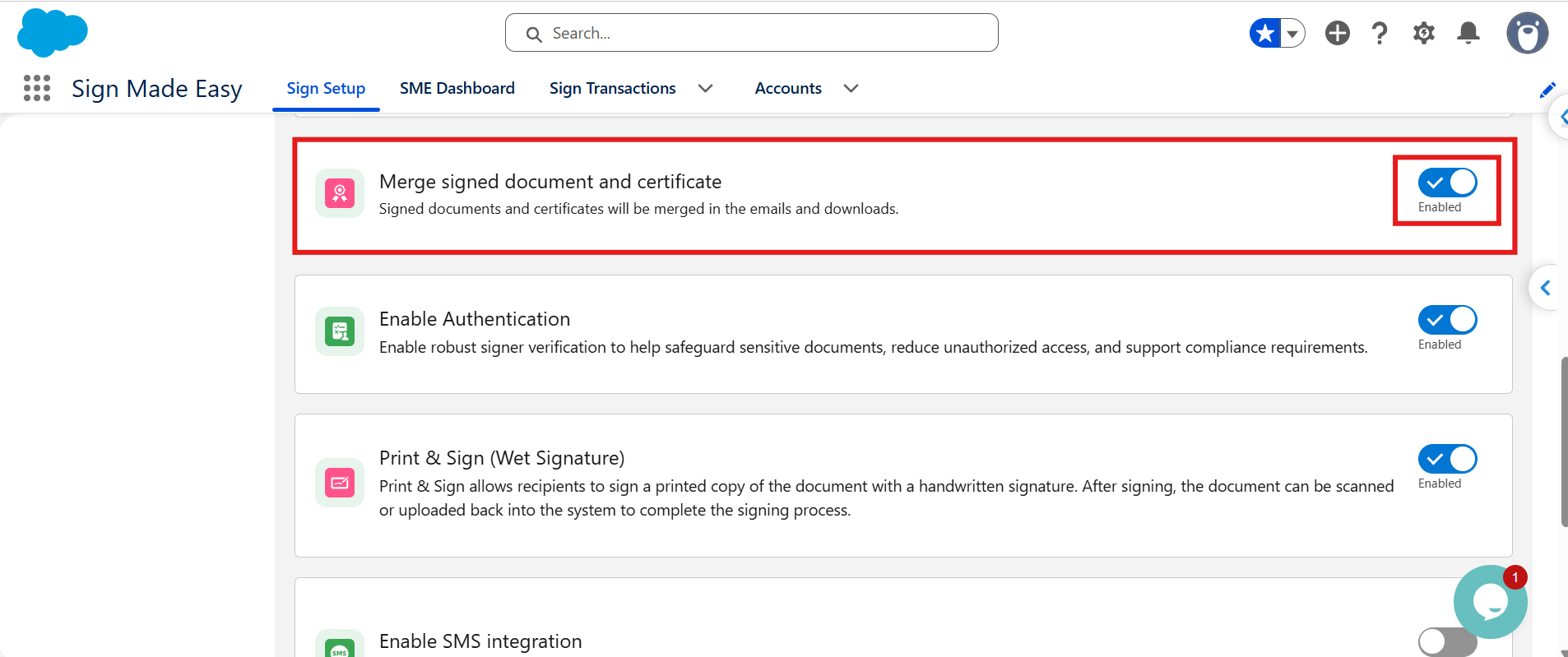
Turn on the Merge Signed Document and Certificate toggle. When enabled, the signed document and Completion Certificate are merged into a single PDF file, subject to the document limitations described in the note below.
Step 3: Open the Salesforce Record
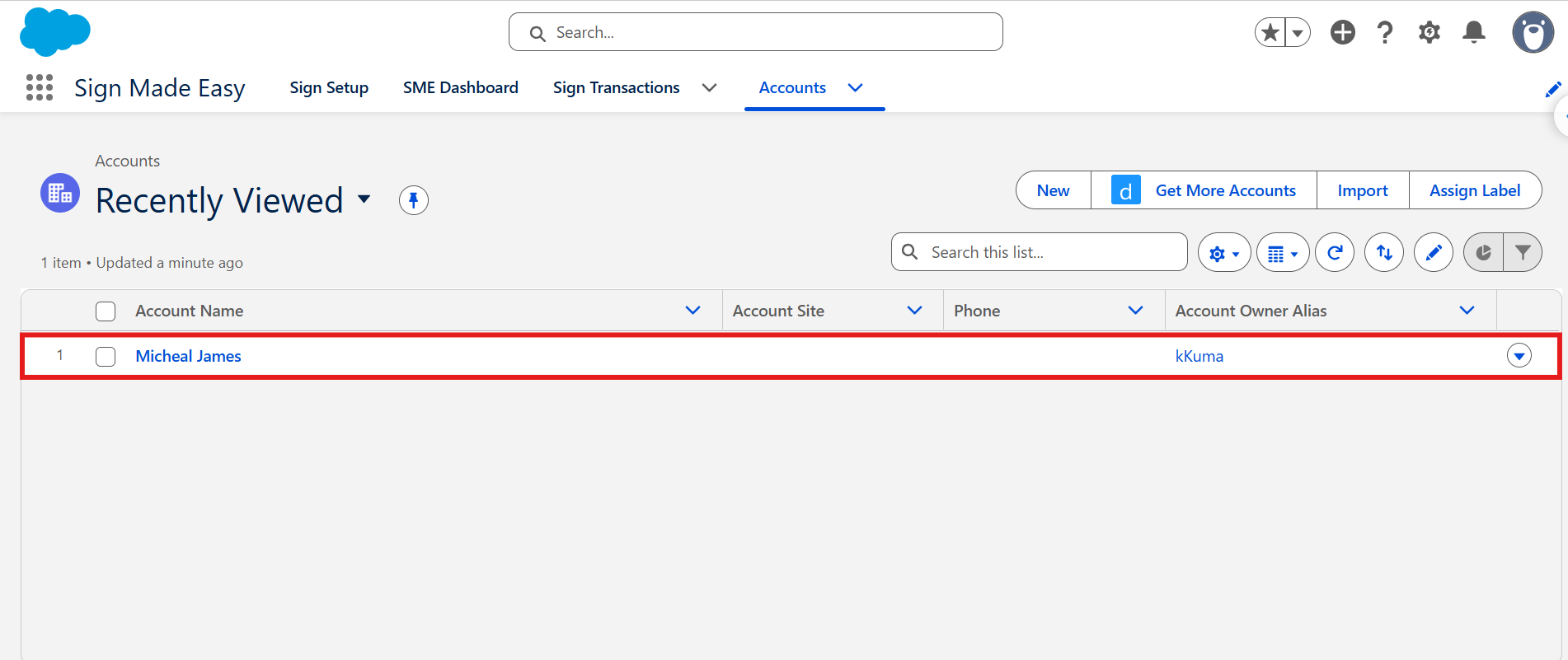
Navigate to the record of the Salesforce object from which you want to initiate the Sign Made Easy process.
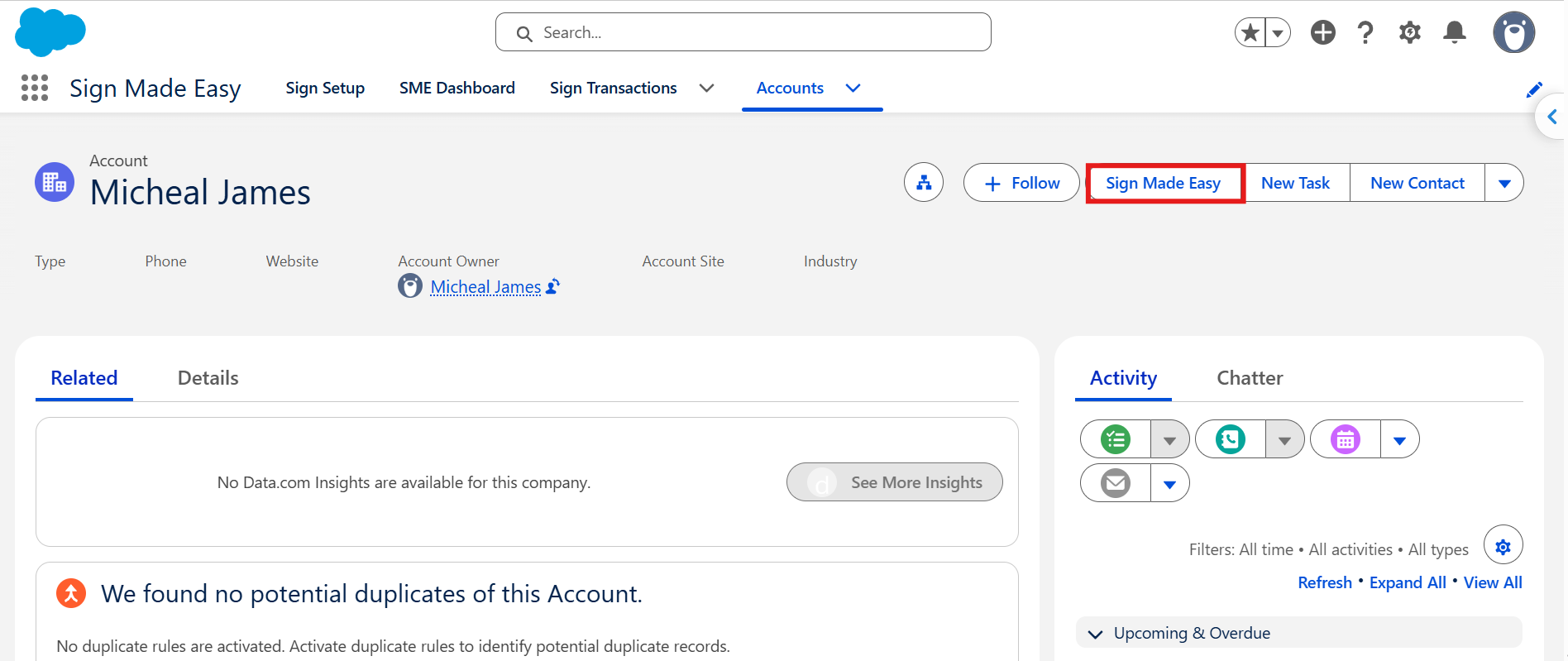
Step 4: Click the Sign Made Easy Button
Click the Sign Made Easy button to create a signing transaction. If the button has not been configured, follow the instructions here to create it.
Step 5: Upload the Document and Select a Recipient
Upload the document and select a recipient from your existing Salesforce records, such as a User, Contact, or Lead. Alternatively, click New Recipient to create a new recipient.
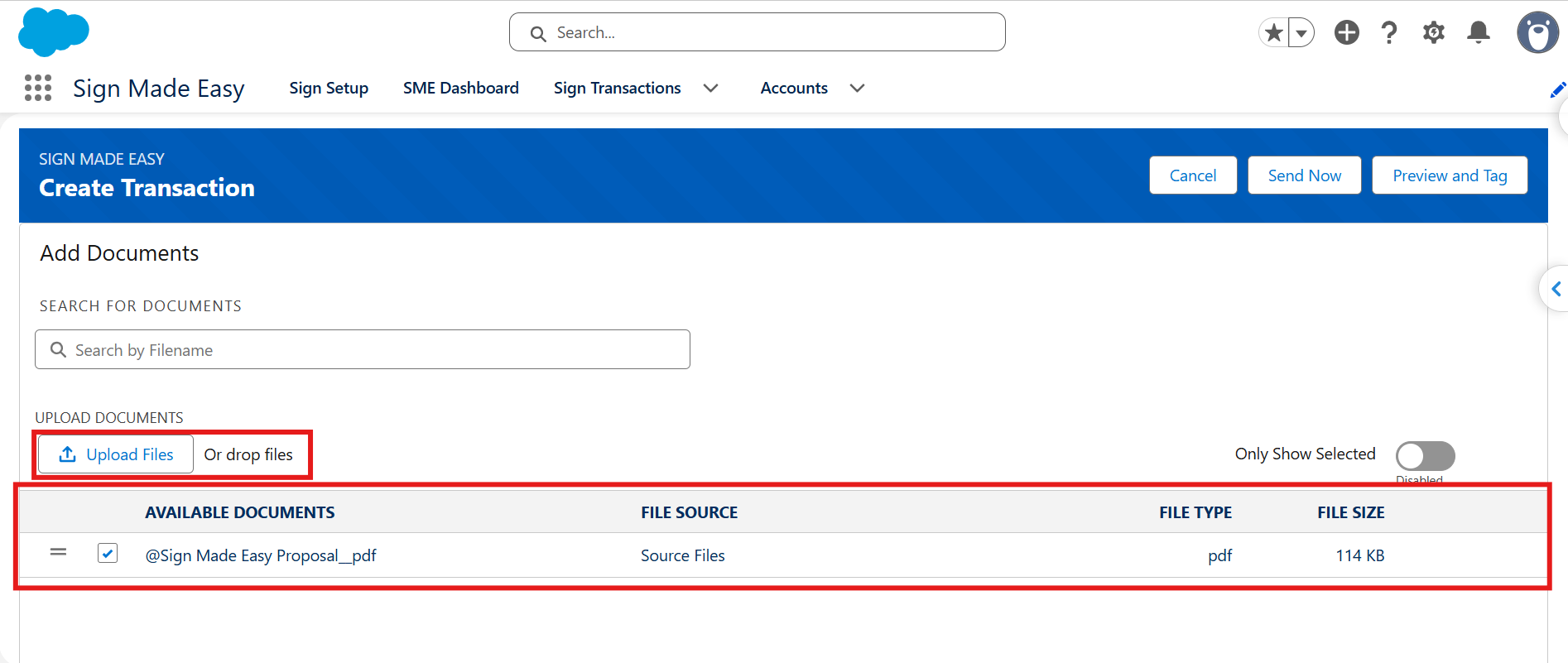
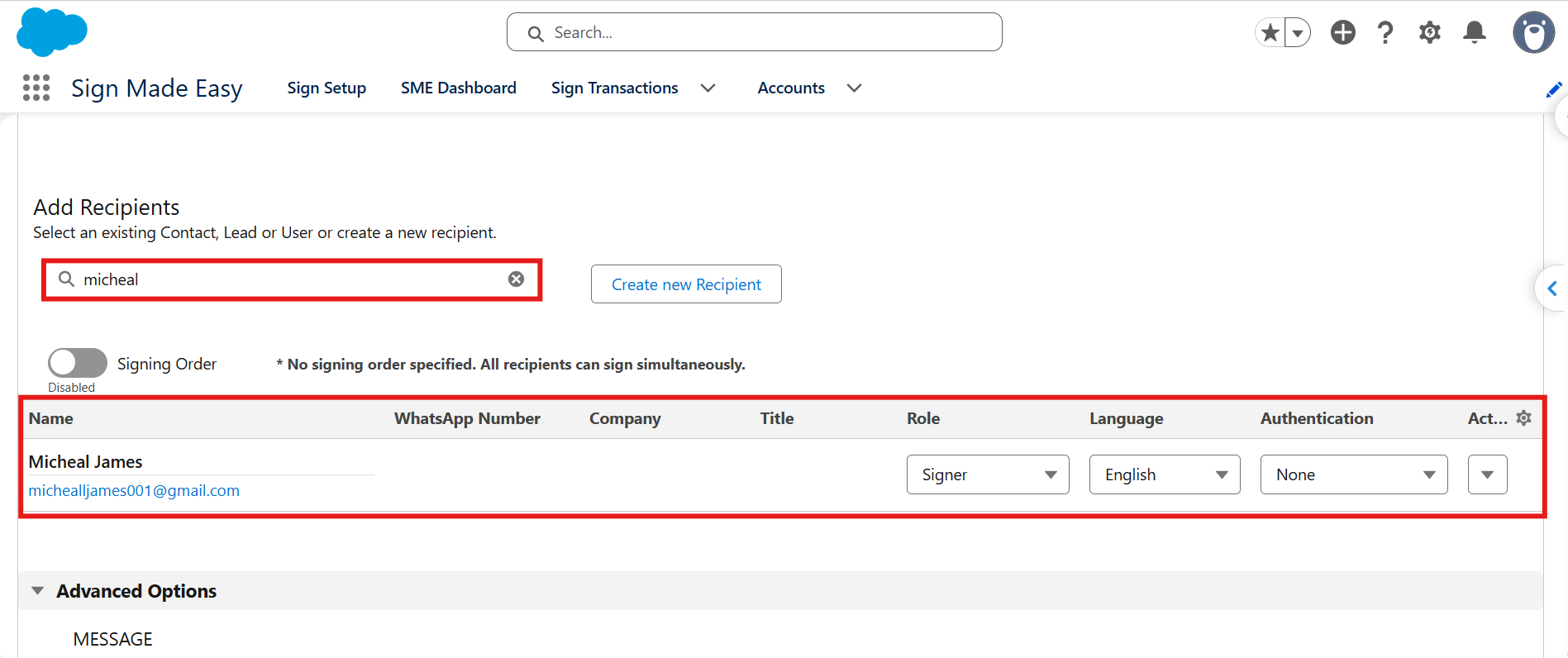
Step 6: Send the Document for Signing
Click Send Now to send the document directly. To add signature fields or other required fields to the document before sending it, click Preview and Tag.
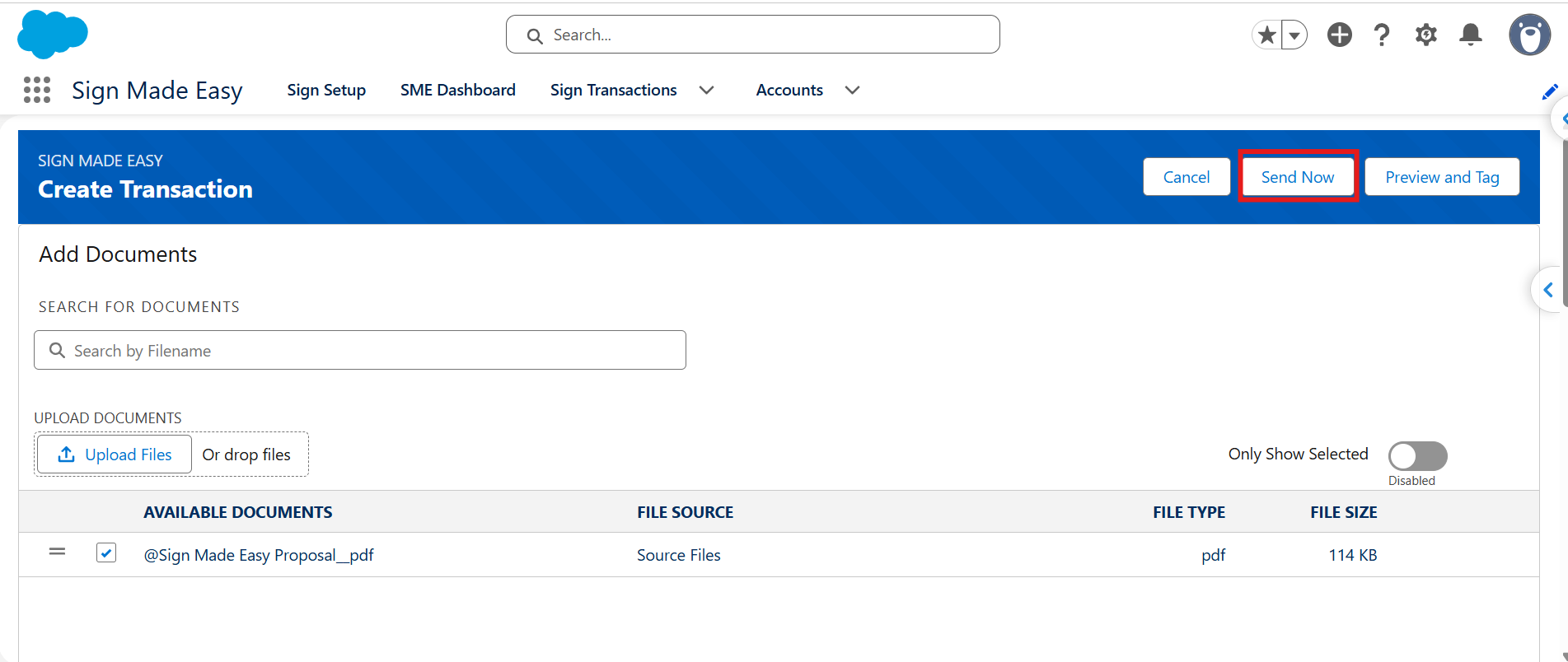
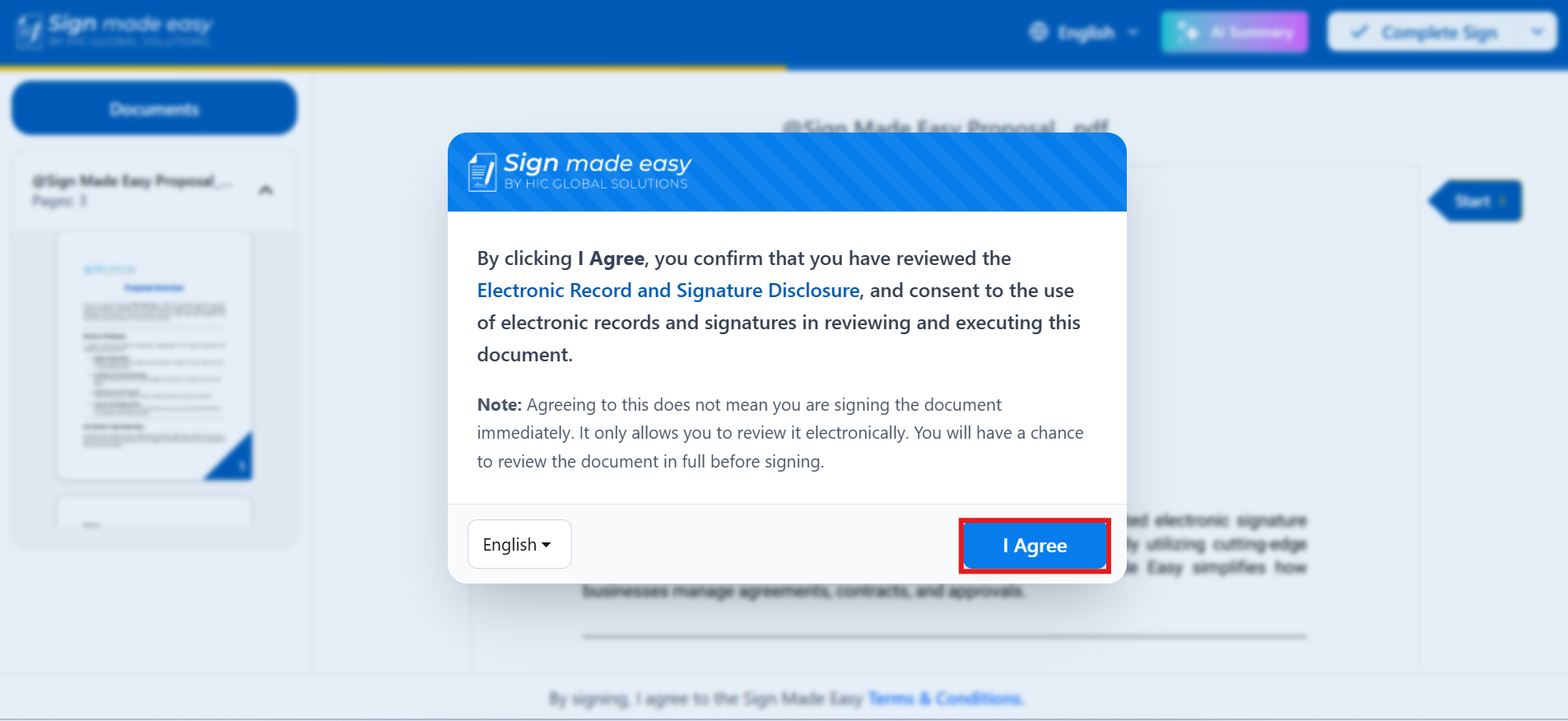
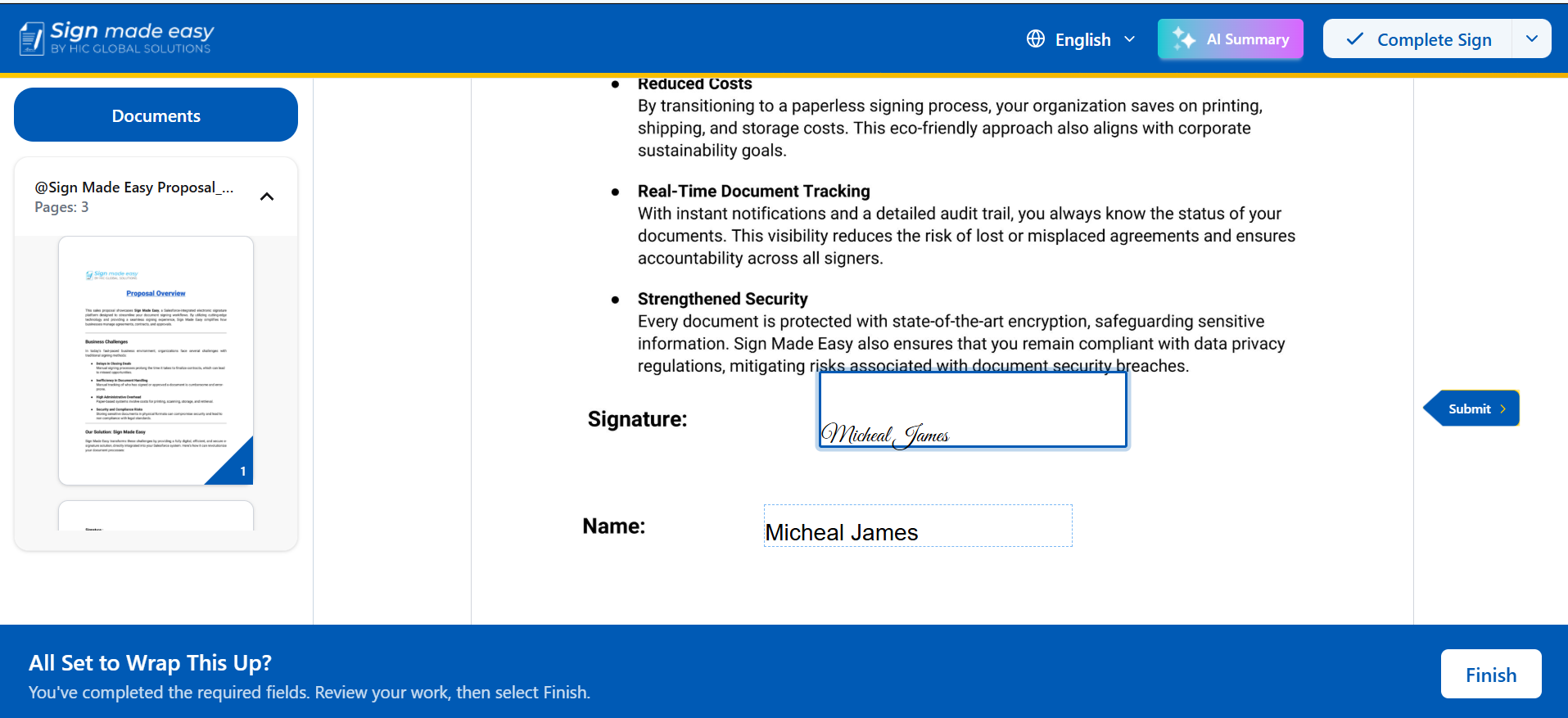
Step 7: Complete the Signing Process
Open the signature notification email, click the signing link, and complete the required signature fields to finish the signing process.
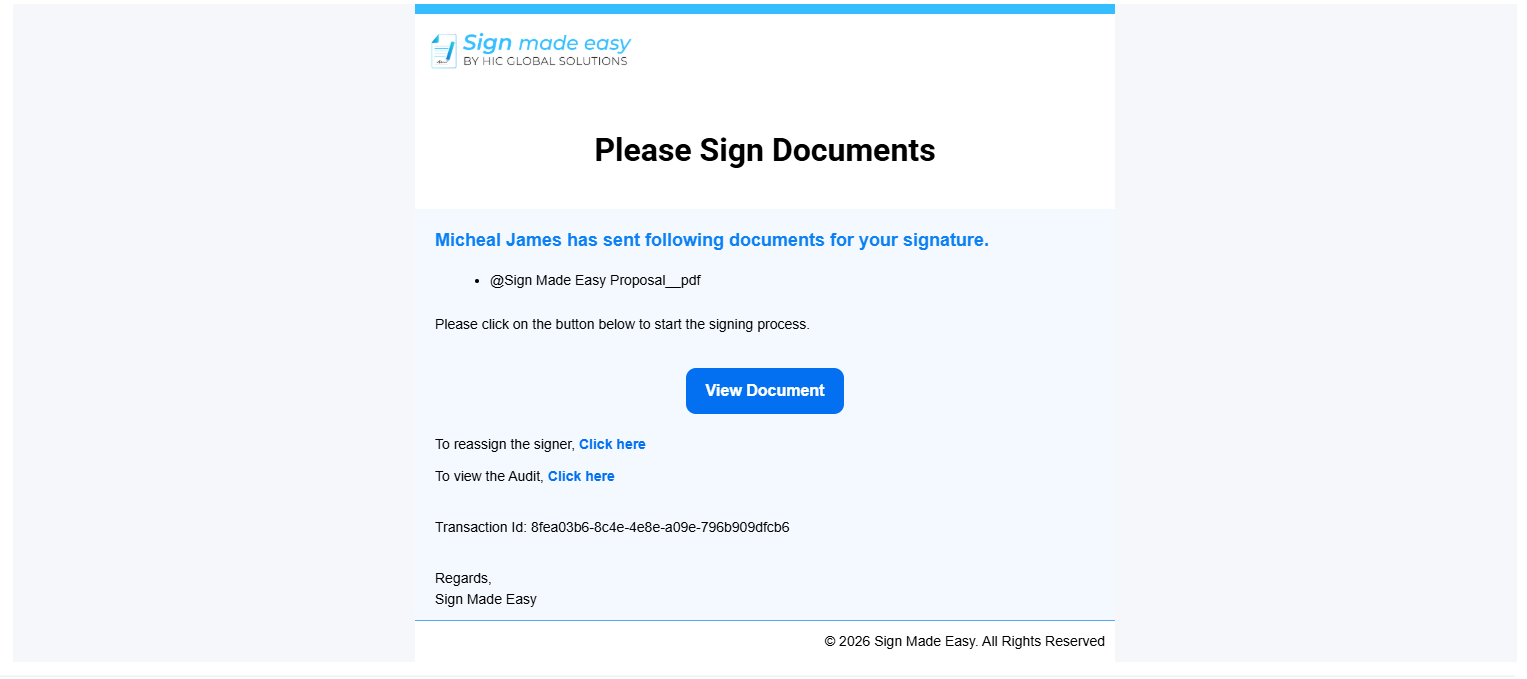
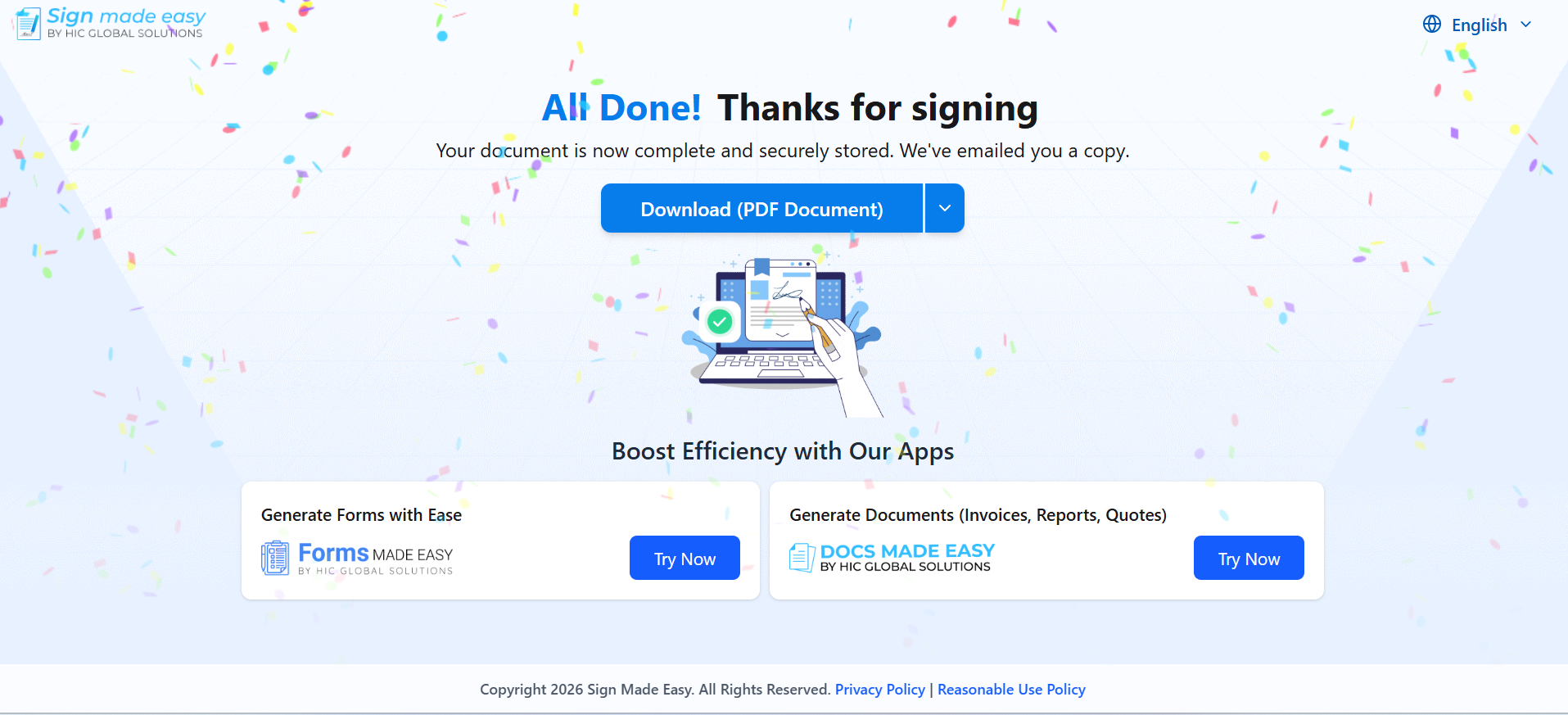
Step 8: Receive the Completed Document
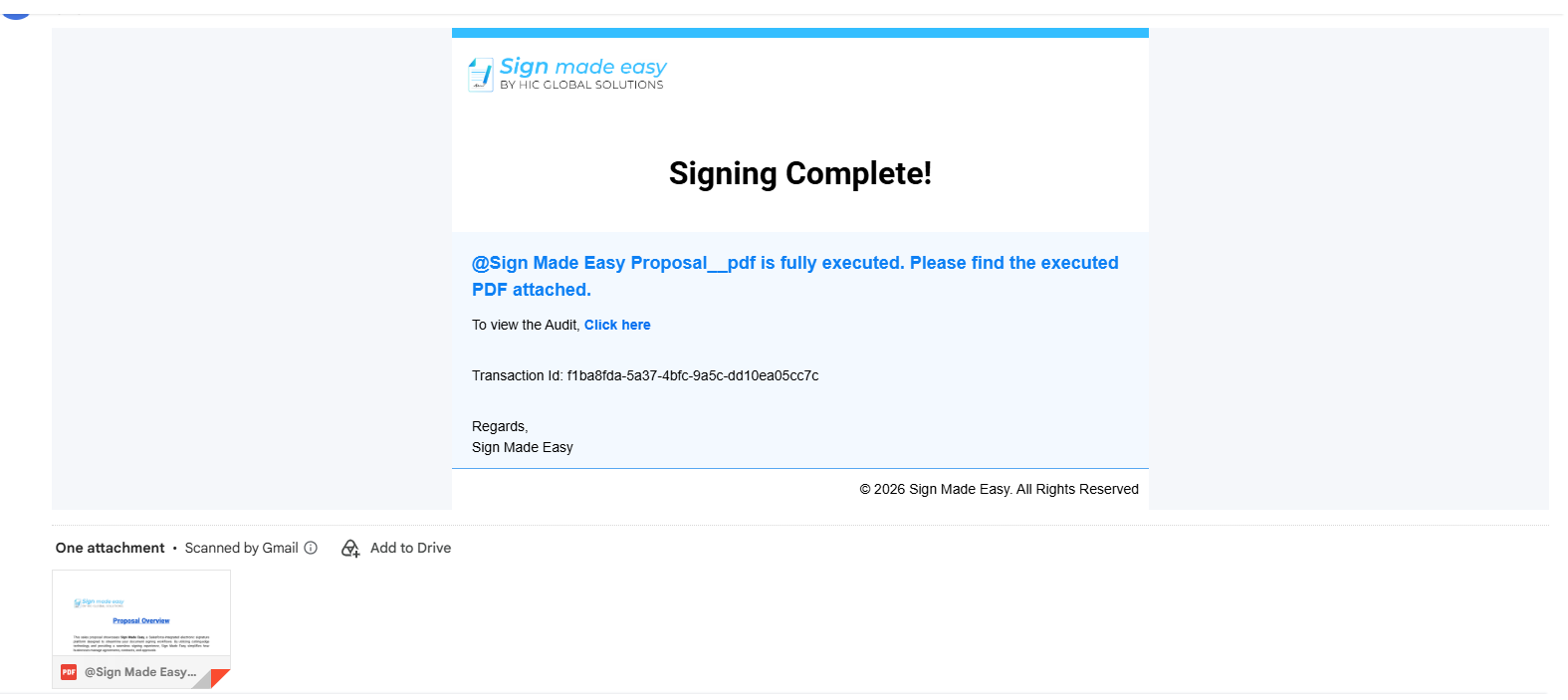
Once the signing process is complete, you will receive a completion notification email with the merged PDF attached, containing the signed document and Completion Certificate when applicable.
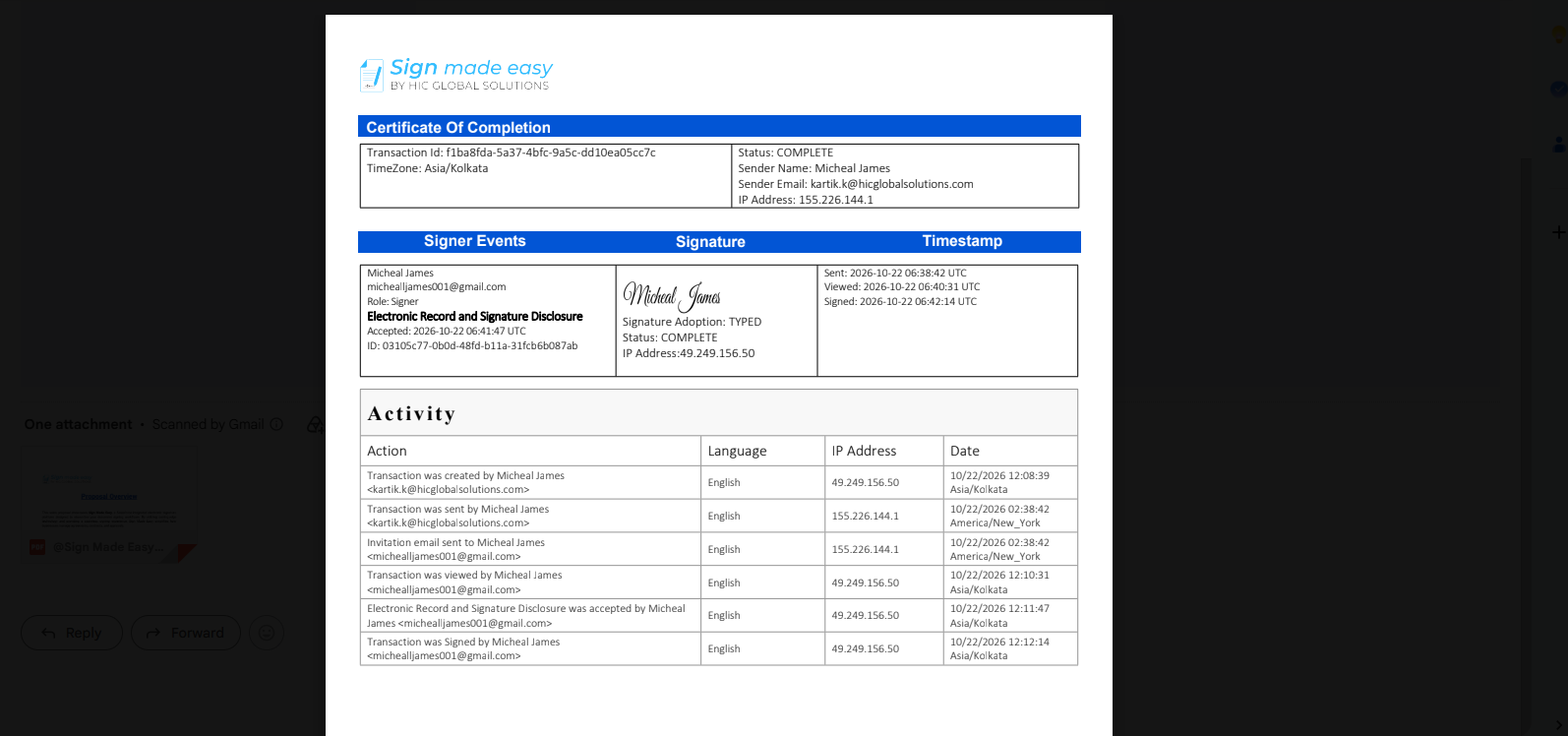
Note: If a signing transaction contains multiple documents, a separate Completion Certificate is generated, and the certificates are not merged with the documents. If the transaction contains only one document, the Completion Certificate is merged with the signed document into a single PDF file.
Was this article helpful?
That’s Great!
Thank you for your feedback
Sorry! We couldn't be helpful
Thank you for your feedback
Feedback sent
We appreciate your effort and will try to fix the article