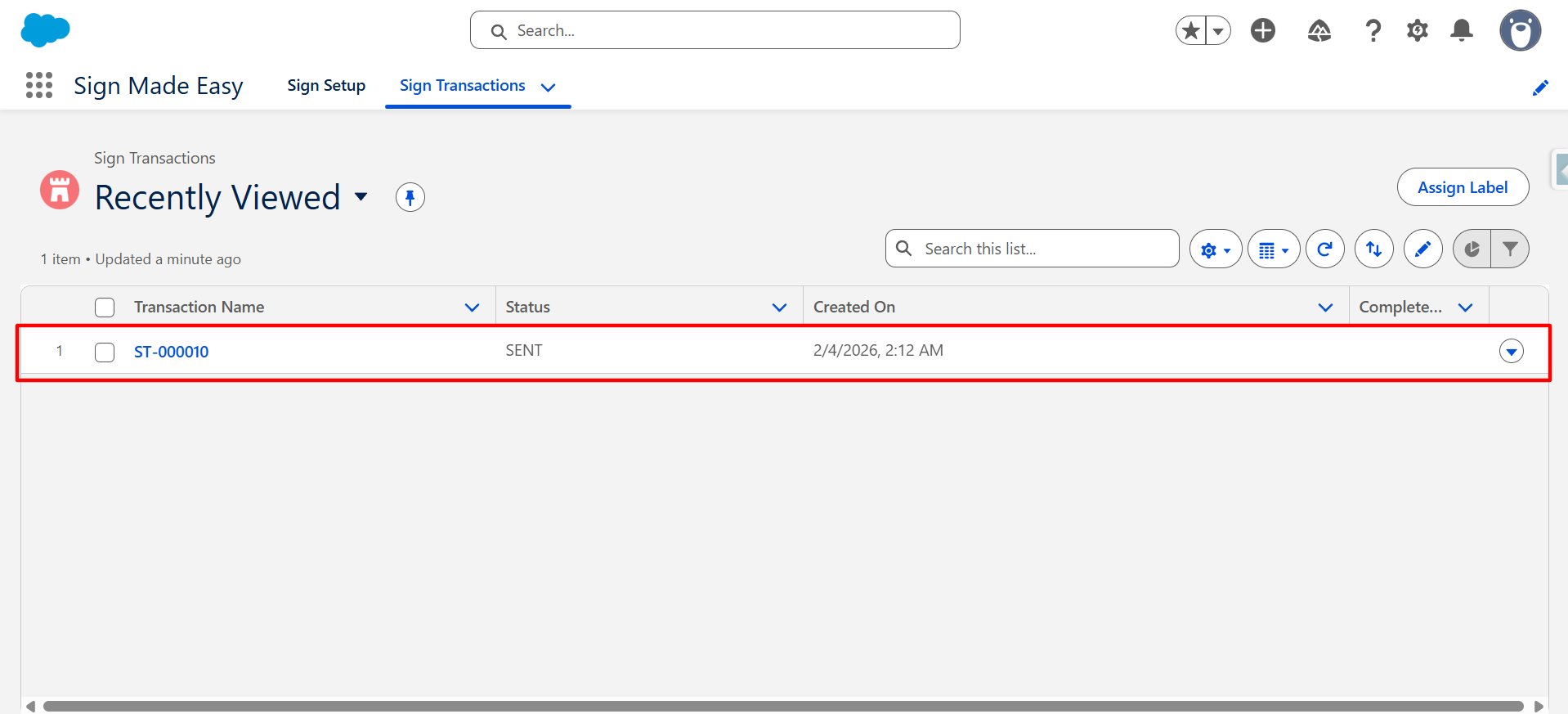
Step 1:- Navigate to the Sign Transactions object and open the sign transaction record that the sender wants to cancel .
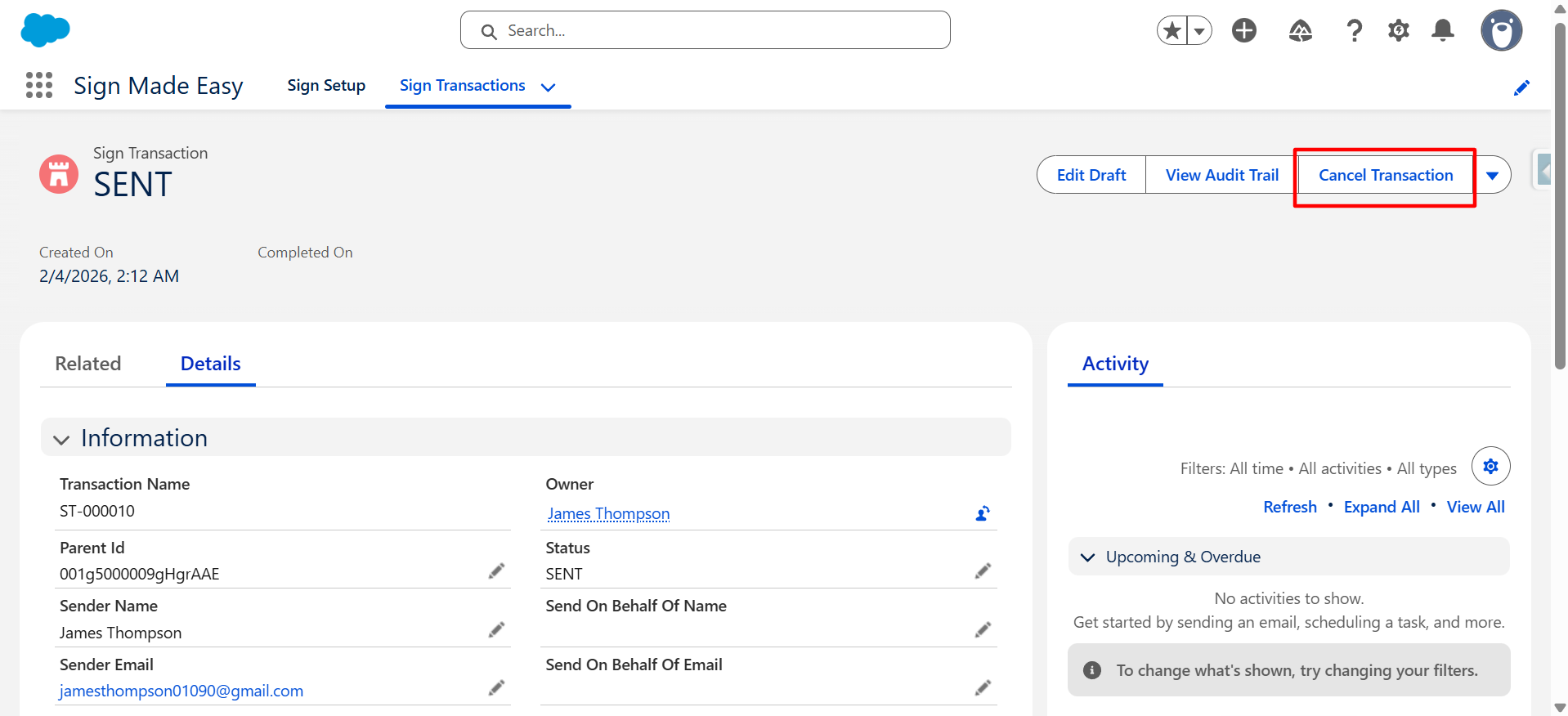
Step 2:- Click on the Cancel Transaction button.
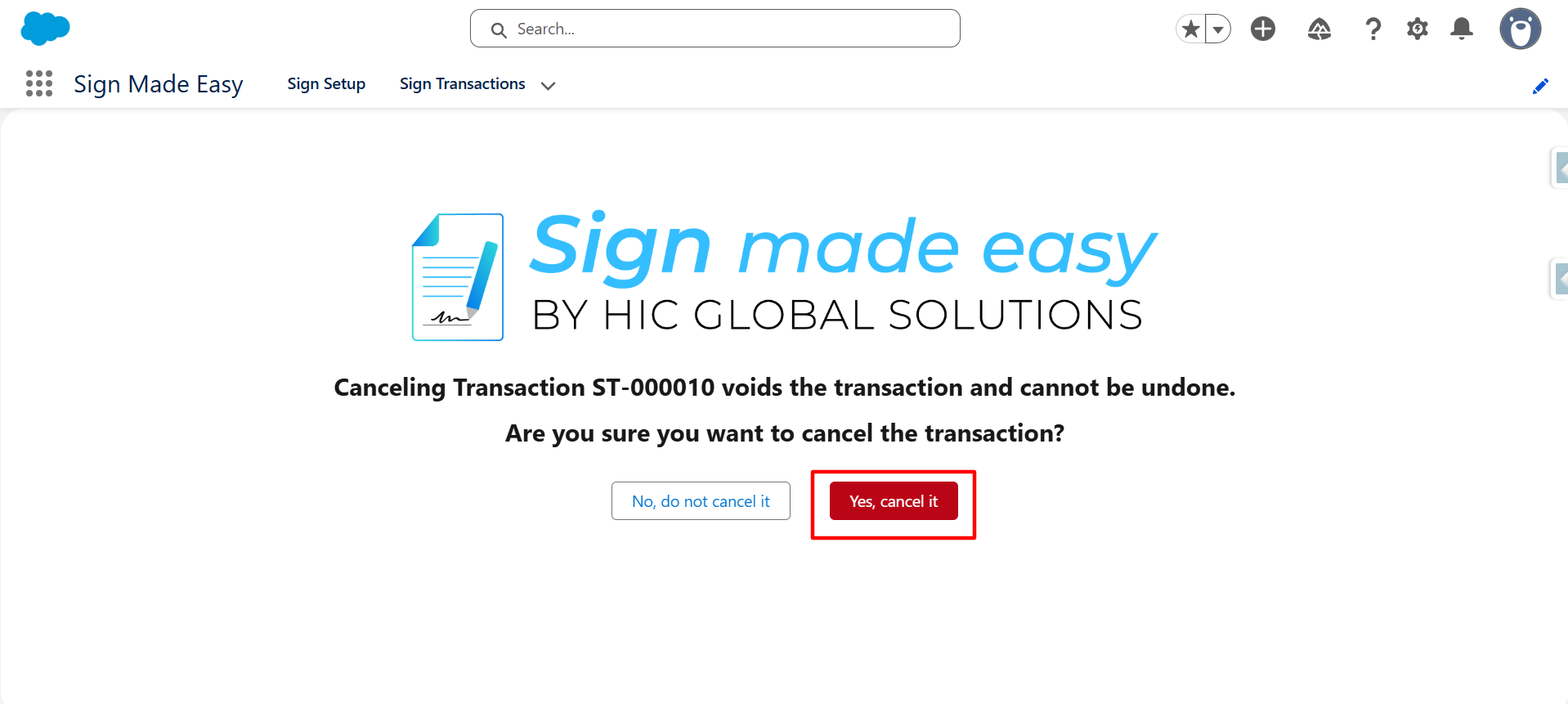
Step 3:- Click on Yes, cancel it button.
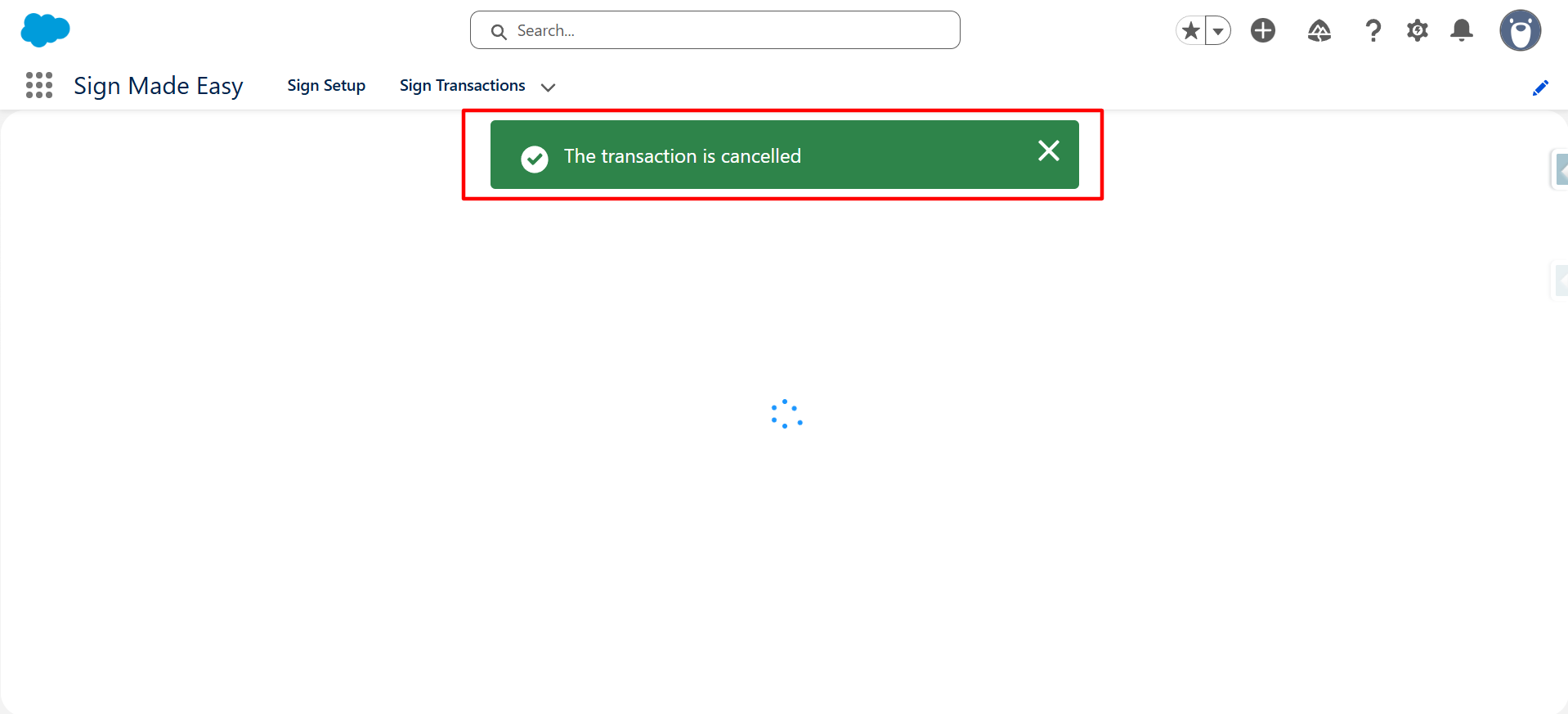
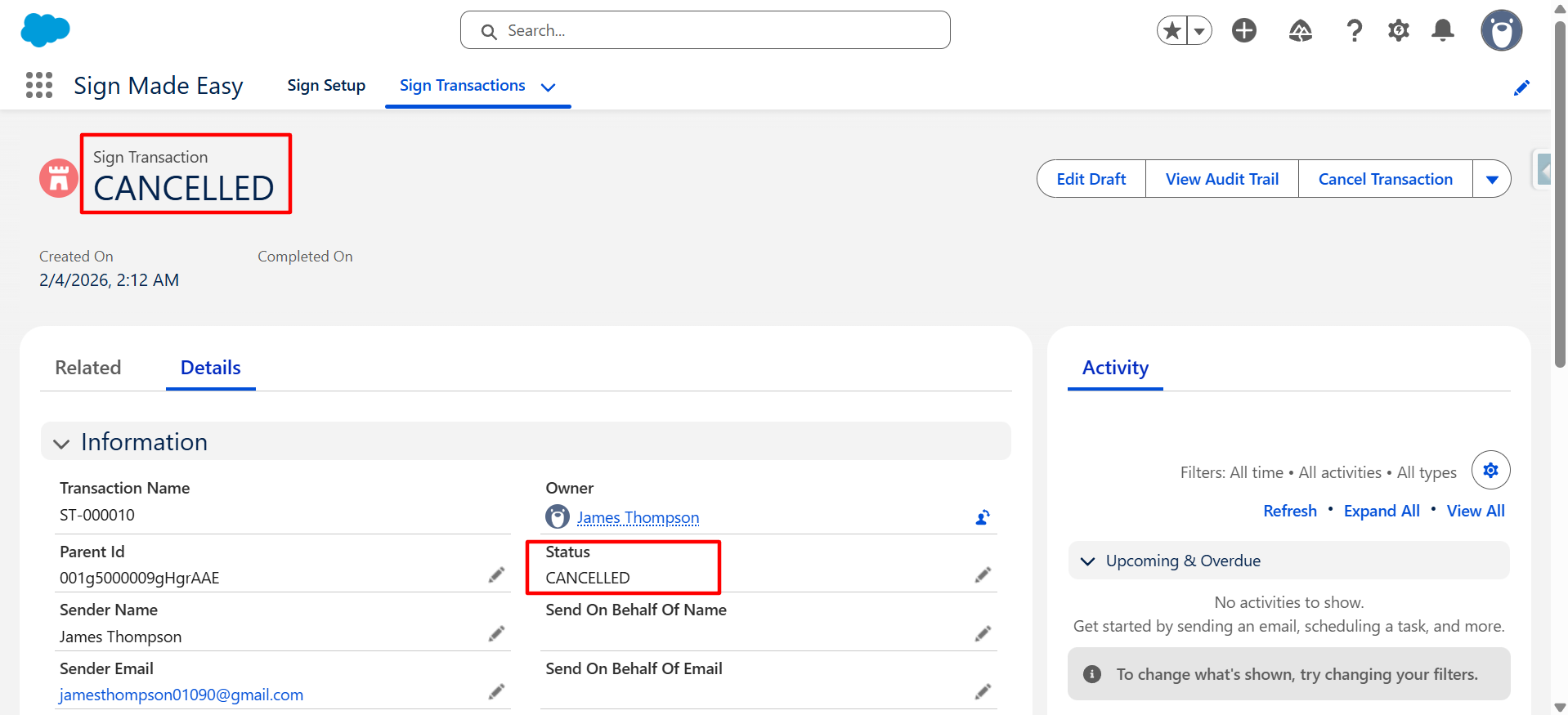
Transaction is successfully cancelled by Sender.
Note:- Recipient with status Viewed or Sent will get transaction cancelling mail.
Was this article helpful?
That’s Great!
Thank you for your feedback
Sorry! We couldn't be helpful
Thank you for your feedback
Feedback sent
We appreciate your effort and will try to fix the article